Used Multi Face Blender for Android?


Multi Face Blender Analysis

AI Assisted Content ·

Not written by CNET Staff.

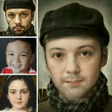
Multi Face Blender is a free Android application designed for users looking to merge multiple faces into a single image. The app simplifies the process of photo blending, allowing users to select various images without the need for advanced editing skills. Users can easily combine faces with just a few taps, making it accessible for anyone interested in creating fun and unique images. With its straightforward interface, the app caters to both casual users and those seeking quick results in photo manipulation.

The functionality of Multi Face Blender focuses on automating the blending process, eliminating the complexities often associated with traditional photo editing software. Once the images are selected, the app processes them and generates a composite image, which can be saved or shared instantly. This seamless approach not only saves time but also encourages creativity in photo sharing, making it a valuable tool for social media enthusiasts.

Enlarged image for Multi Face Blender
Multi Face Blender 0/5

Used Multi Face Blender for Android?


Explore More


Full Specifications

GENERAL
Release
Latest update
Version
1.5.1
OPERATING SYSTEMS
Platform
Android
Operating System
Android 15.0
POPULARITY
Total Downloads
152
Downloads Last Week
3

Report Software

Program available in other languages


Last Updated


Developer’s Description

Try several face photos synthesize easily.

Try several face photos synthesize easily.

Intermediate stage of my face and celebrities, what does he look like?

If you synthesize with all favorite celebrity, what does he look like?

I want only certain parts to synthesize face. Is there a way to easily?

If you've done this idea, here is the app you've been looking for.

Combine multiple face to face as you want quickly and easily merges .

Are wondering how to do it?

Proceed as follows: And you are an expert in this synthesis .

1 . Please select the desired faces of a number .

2 . More alike who want to adjust. Easily adjustable.

3 . Please use the eraser. It's possible, except for certain areas synthesis.

4 . You want to change the skin color? Brightness, brightness, saturation and so easily could change .

5 . Finger roughly rubbed several times and then complete the miraculous picture!

Q: I can not recognize faces.

A: Most face recognition, but sometimes there is a photograph of the face can not detect. However, you can manually adjust the location of the subject's face .

Q: face, eyes, mouth, nose area was the synthesis of a well . But a bit annoying howl and background .

A: Please make good use of the eraser mode ! Size, transparency control by hand, please delete the unwanted part. After that, nice picture appears like a real photo!

If you make good use of the eraser mode, output photo result will be awesome.

Multi Face blender has the following features.

- Face Morph : morph to another face

- Blending face.

- Automatic Face Recognition

- You can easily specify a synthetic point

- Hue, Saturation, Contrast, Brightness Adjustable

- Combine the specific area : Switch eye, nose, mouth


Download.com
Your review for Multi Face Blender
Download.com

AI Assisted Content Disclosure

Content created and reviewed by Softonic with information obtained from HAMSoft Engineering, using AI.

CNET's editorial team was not involved in the creation of this content. Opinions, analysis and reviews were not provided by CNET.