Used iWinSoft Barcode Generator for Windows?


Editors’ Review

Download.com staff
iWinSoft Barcode Generator provides a comprehensive solution for creating, exporting, and printing professional barcodes. This versatile tool supports industry-standard formats and includes customizable templates for serial-number and inventory management.
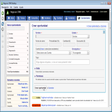
Enlarged image for iWinSoft Barcode Generato…
iWinSoft Barcode Generator 0/1
  • Pros

    • Supports widespread barcode types including Code 128 and EAN
    • Built-in database includes Avery labels and media type templates
    • Serialization tool enables sequential barcode generation for inventory
    • Users can add custom text and images to documents
    • Integrated features for exporting and printing high-quality barcodes
  • Cons

    • Lacks 2D barcode support for QR or DataMatrix formats
    • No mention of data import from external files or databases
    • Absence of cloud-based synchronization for barcode templates
    • No mobile application for remote generation and printing
    • Restricted to local desktop use without collaboration features

Used iWinSoft Barcode Generator for Windows?


Explore More


Full Specifications

GENERAL
Release
Latest update
Version
1.2.4
OPERATING SYSTEMS
Platform
Windows
Operating System
  • Windows 10
  • Windows XP
  • Windows Vista
  • Windows 2000
  • Windows 2003
  • Windows 7
Additional Requirements
None
POPULARITY
Total Downloads
527
Downloads Last Week
0

Report Software

Program available in other languages


Last Updated


Developer’s Description

Create, export, and print barcodes.

iWinSoft Barcode Generator is a powerful but easy-to-use barcode solution that lets anyone generate, export, and print barcodes. It supports the most popular barcode types, such as: EAN 13, EAN 8, UPCA, UPCE, ISBN, ISSN, Code 128, Code 11, Code 93, Code 39, FIM Codes (3 types), Codabar, ITF14, Postnet, Japanpost customer barcode, Horizontal bars, MSI, and Interleaved 2of5. It allows you to create different types of barcodes by entering your data and selecting the desired barcode. A built-in label database with many of Avery labels, cards, other media type templates are included. Other objects, like text and images can be added to you documents. The Serialization part of the Properties panel allows you to define the sequence in which barcodes are printed. This feature is extremely useful in generating serial-number and inventory barcodes.


Download.com
Your review for iWinSoft Barcode Generator