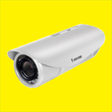
Used IP Camera Vivotek for Windows 10 for Windows?
IP Camera Vivotek for Windows 10 Analysis
AI Assisted Content ·
Not written by CNET Staff.
IP Camera Vivotek for Windows 10 is a utility designed specifically for managing and controlling Vivotek IP cameras on the Windows platform. This software provides users with a robust interface to access live feeds, manage camera settings, and configure various features to ensure optimal performance. The application supports multiple camera models, enabling seamless integration into existing security setups. Its user-friendly design simplifies navigation, making it accessible for both novice and experienced users.
Top Recommended Alternative
Key features of IP Camera Vivotek include real-time video monitoring, motion detection alerts, and the ability to record footage directly to the local system. Users can also adjust camera parameters such as resolution and frame rate, enhancing the overall surveillance experience. The software is compatible with Windows 10, ensuring that it runs smoothly on the latest operating system. Overall, IP Camera Vivotek serves as a dedicated solution for efficient camera management.
Used IP Camera Vivotek for Windows 10 for Windows?
Explore More

WinMerge Portable
Free
Photoshop Repair Toolbox
Trial version
SATA ICH5-R Win2K-XP-2003.zip
FreeNokia 6630 USB
FreeCopy (21) of SP4528.EXE
FreeCompaq Integrated NetFlex Adapter Driver
FreeCopy (21) of SP4531.EXE
Free
xPhoto Advanced Photo Recovery 2014
Trial versionCopy (21) of SP4530.EXE
FreeCopy (21) of SP4532.EXE
FreeCopy (21) of SP4539.EXE
Free
Super Launcher
Free











