Used IOS Control Center and Assistive Touch for Android?


IOS Control Center and Assistive Touch Analysis

AI Assisted Content ·

Not written by CNET Staff.

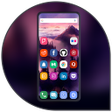
IOS Control Center and Assistive Touch is a free application designed for Android devices that mimics the functionality of the iOS Control Center. This utility allows users to manage essential iOS settings directly from their Android device, enhancing convenience for those who frequently switch between platforms. Key features include the ability to adjust screen brightness, sound volume, and enable night mode, along with options for screen recording and taking screenshots.

Top Recommended Alternative

The application offers a user-friendly interface that simplifies navigation through various settings. Users can customize the appearance of the Control Center, including changing the app's color and background, making it adaptable to personal preferences. This tool serves as a bridge for Android users who wish to experience iOS-like functionality, streamlining their device management without needing an Apple product.

Enlarged image for IOS Control Center and As…
IOS Control Center and Assistive Touch 0/4

Used IOS Control Center and Assistive Touch for Android?


Explore More


Full Specifications

GENERAL
Release
Latest update
Version
2.2.9.13.11
OPERATING SYSTEMS
Platform
Android
Operating System
Android 9.0
POPULARITY
Total Downloads
16
Downloads Last Week
0

Report Software

Program available in other languages


Last Updated


Developer’s Description

IOS Control Center And Assistive Touch have full features of Control Center and Assistive Touch.

IOS Control Center And Assistive Touch have full features of Control Center and Assistive Touch. The application quickly helps you to change settings, screen recorder, Screenshot, Night mode, night light, Lock the screen (Screen off) and fast access to the favorite application.

Quickly change settings:

- Wifi

- Bluetooth

- Screen rotation

- Mobile hotspot

- Volume ringtone, music, alarm, notification, and system

- Brightness

- Flashlight

- Do not disturb

- Silent, vibration, and sound

- Lock the screen (screen off)

- Screen recorder be like iPhone (Android 5.0 and above)

- Screenshot, screen capture (Android 5.0 and above)

- Night mode (night light) and take care of your eyes

- Pin favorite application in Control Center

Swipe up to open Control Center, touch or swipe down, up to close. Touch to float button to open Assistive Touch, touch outside to close.

No limitation of customization: change color, background, button size, home bar size.

Change screen recorder settings: Bitrate, Frame rate.

IOS Control Center and Assistive Touch

Thanks for using my app!


Download.com
Your review for IOS Control Center and Assistive Touch
Download.com

AI Assisted Content Disclosure

Content created and reviewed by Softonic with information obtained from FA developer, using AI.

CNET's editorial team was not involved in the creation of this content. Opinions, analysis and reviews were not provided by CNET.