Used InTask Professional for Windows?


Editors’ Review

Download.com staff
InTask is an agile project management tool for software teams. It enables hierarchical task management, progress tracking, and automated workflows between developers and QA personnel to ensure on-time delivery.
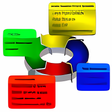
Enlarged image for InTask Professional
InTask Professional 0/3
  • Pros

    • Organize tasks hierarchically with priority settings
    • Automated workflow routes tasks between developers and QA
    • Supports task reminders, status history, and recurring tasks
    • Attach documents and pictures to tasks
    • Create and edit unlimited custom reports
  • Cons

    • Integration is specific to Microsoft Outlook 2007
    • No mention of native mobile applications
    • Lacks integration with version control systems
    • No specified support for Kanban or Scrum boards
    • No mention of a public API

Used InTask Professional for Windows?


Explore More


Full Specifications

GENERAL
Release
Latest update
Version
2.0
OPERATING SYSTEMS
Platform
Windows
Operating System
  • Windows 7
  • Windows Server
  • Windows Vista
  • Windows XP
  • Windows 10
  • Windows 2000
  • Windows 2003
Additional Requirements
None
POPULARITY
Total Downloads
103
Downloads Last Week
0

Report Software

Program available in other languages


Last Updated


Developer’s Description

Bridge the gap between team leaders, developers, and QA with agile project management software.
InTask was designed for agile project management. Team leaders, developers and QA personnel share their efforts and deliver the product on time. Managers can arrange all the tasks in a hierarchical manner, give it a priority and then dispatch it to the developers. At any time, work progress can be tracked and load balanced if needed. Developers automatically gets their relevant tasks and when finished, send it to QA and receive feedback. QA personnel automatically get tasks that need to be checked and when finished send it back to the developers. Usually a task is completed when both QA and development set its status to Complete. InTask also supports Task reminders, recurring tasks, status history, attach pictures and documents, send email notifications. Pre-made reports are available as well as the ability to create and edit unlimited custom reports. InTask also integrates perfectly with MS Outlook 2007--Users can right-click on any message within Outllook and simply send or track it in InTask.

Download.com
Your review for InTask Professional