Used Image Tools Portable for Windows?


Editors’ Review

Download.com staff
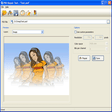
This tool excels at batch image manipulation, offering resizing, conversion, cropping, and watermarking. It supports numerous file formats and utilizes multicore processing for speed.
Enlarged image for Image Tools Portable
Image Tools Portable 0/1
  • Pros

    • Multi-threaded batch image resizing, conversion, and cropping
    • Supports watermarks and various decolorizing effects
    • Handles BMP, GIF, TIFF, JPEG, PNG, and EMF formats
    • Multicore processing enhances performance
    • Includes an internal benchmarking tool
  • Cons

    • Variable output quality when optimizing images
    • MONO compatibility limited to GNOME

Used Image Tools Portable for Windows?


Explore More


Full Specifications

GENERAL
Release
Latest update
Version
3.5
OPERATING SYSTEMS
Platform
Windows
Operating System
  • Windows 10
  • Windows Vista
  • Windows 7
  • Windows XP
Additional Requirements
None
POPULARITY
Total Downloads
149
Downloads Last Week
0

Report Software

Program available in other languages


Last Updated


Developer’s Description

Convert, resize, and crop your images.
Image Tools Portable is a screen capture and file sharing tool. It features multi-threaded batch image resizing, conversion, cropping, flipping/rotating, watermarks, decolorizing (grayscale, negative, sepia), and optimizing. The BMP, GIF, TIFF, JPEG, PNG, and EMF image types are supported. It is compatible with MONO (only for GNOME). Multicore processing is supported to increase performance. The quality for output when optimizing is variable. Color channels can be filtered. An internal benchmarking tool is available. Indexed pixel format images can be processed. You can publish pieces of your screen, files and send links to everyone you want to share it.

Download.com
Your review for Image Tools Portable