Used FsRadioPanel for Android?


FsRadioPanel Analysis

AI Assisted Content ·

Not written by CNET Staff.

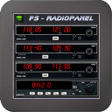
FsRadioPanel is an innovative simulation tool for Android that enhances the experience of using Microsoft Flight Simulator (FS9/FSX/FSX-SE/P3D/MFS2020). This free application connects your mobile device to the simulator, providing access to essential flight instruments such as radios, a horizontal situation indicator (HSI), a primary flight display (PFD), and a flight guidance panel (FGP). The app also features a moving map with flight planning capabilities and a GPS flight planner, making it a versatile tool for flight simulation enthusiasts. Additionally, FsRadioPanel includes a Navigraph database (AIRAC cycle 1513 v2) for creating detailed flight plans, though an ongoing subscription is required for updates. Users must download a server program to connect their Android device with the simulator. The app is compatible with several other Tambucho products, offering a cohesive ecosystem for flight simulation on Android devices.

Enlarged image for FsRadioPanel
FsRadioPanel 0/4

Used FsRadioPanel for Android?


Explore More


Full Specifications

GENERAL
Release
Latest update
Version
v.128-free-12-2025-powered-by-tambucho
OPERATING SYSTEMS
Platform
Android
Operating System
Android 15.0
POPULARITY
Total Downloads
17
Downloads Last Week
0

Report Software

Program available in other languages


Last Updated


Developer’s Description

FsRadioPanel allows you to connect your Android device with MS flight simulator (FS2004/FSX/FSX-SE/Prepar3D).

FsRadioPanel allows you to connect your Android device with MS flight simulator (FS2004/FSX/FSX-SE/Prepar3D).

Include the following devices:

- RADIOS: Com1/Com2, Nav1/Nav2, Adf, Transponder, Timer.

- HSI: Horizontal situation indicator

- PFD: Primary Flight Display.

- FGP: Flight Guidance Panel.

- MAP: Moving Map with flight plan.

- GFP: Gps Flight Planner.

- ELC: Electric Panel.

This products comes with an AIRAC cycle 1513 v2 Navigraph database which has all the information you need to create a flight plan. But if you want to keep your database up to date you will need a subscription from Navigraph. (http://www.navigraph.com/FmsDataManualInstall.aspx)

ATTENTION: You need to download the server program four your pc to connect to the simulator.

http://www.tambucho.es/android/fic/FsPanelServer.zip

DETAILED MANUAL: http://www.tambucho.es/android/fic/FsRadioPanel.pdf

Compatible with:

- FsVFRMap https://play.google.com/store/apps/details?id=com.tambucho.fsVfrMap

- FsPfdPanel https://play.google.com/store/apps/details?id=com.tambucho.FsPfdPanel

- FsC172Panel https://play.google.com/store/apps/details?d=com.tambucho.fsc172panel

- FsC177Panel https://play.google.com/store/apps/details?d=com.tambucho.fsc177panel

Demo Version: This trial version will allow you to check if it works properly with your configuration.


Download.com
Your review for FsRadioPanel
Download.com

AI Assisted Content Disclosure

Content created and reviewed by Softonic with information obtained from Tambucho, using AI.

CNET's editorial team was not involved in the creation of this content. Opinions, analysis and reviews were not provided by CNET.