Used FPV Freerider for Android?


FPV Freerider Analysis

AI Assisted Content ·

Not written by CNET Staff.

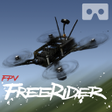
FPV Freerider is a comprehensive drone simulation game designed for Android devices, allowing users to experience the thrill of flying drones in various environments. It features realistic physics, multiple flight modes, and customizable settings to enhance the user experience. Players can choose from a range of drone models and practice their flying skills in diverse scenarios, including indoor and outdoor settings, making it suitable for both beginners and experienced pilots.

The game also includes a first-person view option, providing an immersive experience reminiscent of actual drone flying. Users can access various training courses to improve their skills and compete in virtual races. FPV Freerider supports external controllers, making it adaptable for a more realistic control experience. Overall, it serves as an effective training tool for drone enthusiasts and a fun simulation for casual players.

Enlarged image for FPV Freerider
FPV Freerider 0/4

Used FPV Freerider for Android?


Explore More

Full Specifications

GENERAL
Release
Latest update
Version
4.0
OPERATING SYSTEMS
Platform
Android
Operating System
Android 15.0
POPULARITY
Total Downloads
2,050
Downloads Last Week
1

Report Software

Program available in other languages


Last Updated


Developer’s Description

By FPV Freerider
Fly (and crash.) all you want regardless of rain, wind, sleet or snow.

Fly (and crash!) all you want regardless of rain, wind, sleet or snow.

Supports first person view (FPV) and line of sight (LOS) flying.

Supports self-leveling and acro mode, as well as 3D mode (for inverted flying).

Includes six sceneries and a track generator that can generate millions of tracks automatically by procedural generation.

Custom settings for input rates, camera and physics.

Option for low resolution mode (to be able to get higher framerate)

Google Cardboard side-by-side VR view option.

Touchscreen controls support mode 1, 2, 3 and 4.

Mode 2 is default input:

Left stick - Throttle/Yaw

Right stick - Pitch/Roll

This simulator requires a high end device.

Note that this is a RC flight simulator, not a game. You might find that the controls are hard, but that's because it's made to mimic real life. It is highly recommended to use a good physical controller.

If your device supports USB OTG and you have the right cable you can try to use a USB gamepad/controller for better control.

There is a free demo available that you can try to see if it works with your controller.

Physical controllers are configurable between mode 1,2,3 and 4.

There is no guarantee that it will work with your device/controller. If you have any problems please send an email and I might be able to help.

Controllers that have been used successfully include FrSky Taranis, Spektrum, Devo, Turnigy and Eachine radios, Xbox, Playstation, Moga and Logitech gamepads, Realflight and Esky USB controllers. Please try the free demo version to see if it will work with your particular setup.

User manual (PDF)

https://drive.google.com/file/d/0BwSDHIR7yDwSelpqMlhaSzZOa1k/view?usp=sharing

portable drone / multirotor / quadrocopter / miniquad simulator


Download.com
Your review for FPV Freerider
Download.com

AI Assisted Content Disclosure

Content created and reviewed by Softonic with information obtained from FPV Freerider, using AI.

CNET's editorial team was not involved in the creation of this content. Opinions, analysis and reviews were not provided by CNET.