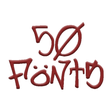
Used Fonts for FlipFont 50 #8 for Android?
Editors’ Review
Fonts for FlipFont 50 #8 from Fonts Free is an Android personalization app that expands device typography and messaging options. It supplies a curated collection of system typefaces and a message-creation utility for generating styled text images. The package targets owners of Samsung Galaxy and HTC Sense devices who prefer system-level font changes without technical modification, and it integrates the new faces into the device display settings for immediate use.
Top Recommended Alternative
The app adds its typefaces to the system font list so chosen faces apply to the device user interface rather than to individual apps. The package contains fifty distinct FlipFont-compatible styles that appear in the device font selector; on supported phones users choose them from Settings > Display > Font Style. That system-level application means menus, labels and core UI text reflect the new typeface once selected.
What part of the interface does the app change?
How much control does it give over typography?
The tool offers control by selection rather than by micro-adjustment: users pick among fifty supplied faces but cannot assign different fonts to specific apps. It relies on the FlipFont engine to implement changes, and the installation route does not require rooting the device, so customization stays within the native font-management workflow instead of replacing system files.
Does the app affect system performance or run constantly?
The developer describes the package as lightweight and the app uses the native FlipFont mechanism to apply fonts. Because it integrates with the system font engine rather than running an overlay, the visible runtime footprint is limited to the app itself during configuration. That design reduces the likelihood of continuous background CPU or GPU load associated with active visual overlays.
Which devices and Android versions are supported?
The pack targets Android 4.4 or higher and is specifically optimized for a range of older Samsung Galaxy and HTC Sense phones. Reports note that stricter font-change restrictions on newer Android releases can limit compatibility on current handsets; users of recent Android versions may find the FlipFont approach blocked by manufacturer security settings.
Pros
- Pack includes fifty FlipFont-compatible typefaces in one install
- Adds new entries to the system Font Style selector for immediate use
- Message Maker produces shareable stylized text images
- Developer describes the app as lightweight in design
Cons
- Compatibility limited on newer Android versions due to security restrictions
- Optimized primarily for older Samsung and HTC Sense devices
- Changes apply globally; no per-app font assignment option
Bottom Line
A practical choice for legacy-device personalization
The app is a pragmatic option for Samsung and HTC owners who want straightforward, system-wide typographic change using the FlipFont framework; it suits people who prefer choosing from a large curated set rather than tweaking metrics. Be aware that manufacturers tightened font-change controls on newer Android releases, which reduces its usefulness on recent phones. Keep a record of your prior font selection so you can revert quickly after testing styles.
Used Fonts for FlipFont 50 #8 for Android?
Explore More

CMX - Minimal Tech Arc KLWP Theme
Free
Skull Live Wallpaper 3D
Paid
Floatoon: Create Shimeji Pets
Free
FlatMat Weather icon set for KWGT KLWP
Free
NEW YORK Next Launcher Theme
Paid
Leeco: Job Ai App Help
Free
SwiftPaper Walls
Free
Ultra 9 Watch App: BT Sync
Free
CustomizeCircle Turntable
Paid
Supermassive Black Hole HD
Free
Playboy Green Bunny Theme
Free
Customize Control Center Panel
Free











