Used EaseUS DupFiles Cleaner for Windows?


EaseUS DupFiles Cleaner Analysis

AI Assisted Content ·

Not written by CNET Staff.

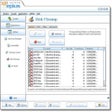
EaseUS DupFiles Cleaner is a utility designed to help users efficiently manage duplicate files on their Windows systems. This application scans local drives and folders to identify duplicate files based on user-defined criteria, such as file name, size, and content. With an intuitive interface, users can easily navigate through the scanning process and view detailed reports on found duplicates.

Top Recommended Alternative

The program allows users to select specific folders for scanning, providing flexibility in managing storage space. Once duplicates are identified, users can choose to delete, move, or rename them, streamlining file organization. The trial version offers a comprehensive set of features, making it suitable for both casual users and professionals looking to optimize their file management.

Enlarged image for EaseUS DupFiles Cleaner
EaseUS DupFiles Cleaner 0/1

Used EaseUS DupFiles Cleaner for Windows?


Explore More


Full Specifications

GENERAL
Release
Latest update
Version
1.0.1
OPERATING SYSTEMS
Platform
Windows
Operating System
  • Windows 10
  • Windows 7
  • Windows 11
  • Windows 8
Additional Requirements
None
POPULARITY
Total Downloads
105
Downloads Last Week
0

Report Software

Program available in other languages


Last Updated


Developer’s Description

Pinpoint and get rid of duplicate files including images, videos, audios, and documents.
EaseUS Dupfiles Cleaner is a Windows-based tool that helps users find and clean duplicate files on the computer. It supports removing duplicate or similar files including image, videos, audio, documents, and more file type.No matter you want to clean the junk cache file or the duplicated large installation files, EaseUS Dupfiles Cleaner is the best choice. The most prominent merit of EaseUS Dupfiles Cleaner is its smart scanning and cleaning mode. It applies a Smart Algorithm that can compare both file names and contents to search for duplicate files, so that you won't delete essential files by accident.Highlights: 1. Easy to operate - select the target drive, start to scan, and clean the duplicate files. It only takes three simple steps to remove duplicate files.2. Safe and smart - The Smart Algorithm helps to avoid the possibility of wrongly delete the files you don't want to remove.3. Free up space in seconds - This tool is great for you to clear disks that tend to accumulate a lot of duplicate files, such as backup drives and system drives.

Download.com
Your review for EaseUS DupFiles Cleaner
Download.com

AI Assisted Content Disclosure

Content created and reviewed by Softonic with information obtained from EaseUS, using AI.

CNET's editorial team was not involved in the creation of this content. Opinions, analysis and reviews were not provided by CNET.