Used DSLR Camera Photo Effect for Windows 10 for Windows?


The Download Now link directs you to the Windows Store, where you can continue the download process. You must have an active Microsoft account to download the application. This download may not be available in some countries.

DSLR Camera Photo Effect for Windows 10 Analysis

AI Assisted Content ·

Not written by CNET Staff.

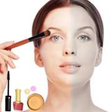
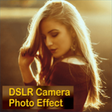
DSLR Camera Photo Effect for Windows 10 is a free multimedia application designed to enhance digital images by simulating the effects typically associated with DSLR cameras. This software provides users with a variety of filters and adjustments that can replicate the depth of field and color richness usually achieved in professional photography. Key features include customizable settings for exposure, contrast, and saturation, allowing for a tailored editing experience.

Top Recommended Alternative

The program's user-friendly interface makes it accessible for both novice and experienced users, enabling quick navigation through its features. Additionally, it supports a range of image formats, ensuring compatibility with most digital photos. With its focus on creating visually appealing results, DSLR Camera Photo Effect serves as a valuable tool for anyone looking to elevate their photo editing capabilities.

Enlarged image for DSLR Camera Photo Effect …
DSLR Camera Photo Effect for Windows 10 0/4

Used DSLR Camera Photo Effect for Windows 10 for Windows?


Explore More


Full Specifications

GENERAL
Release
Latest update
Version
0
OPERATING SYSTEMS
Platform
Windows
Operating System
Windows 10
Additional Requirements
Available for Windows 10, Windows 10 Mobile, Windows Phone 8.1 (ARM, x86, x64)
POPULARITY
Total Downloads
747
Downloads Last Week
0

Report Software

Program available in other languages


Last Updated


Developer’s Description

DSLR Camera Effect is a best and easy photography app to make your photo with best blur styles.
DSLR Camera Effect is a best and easy photography app to make your photo with best blur styles. 1. First you can select photo from gallery as well as camera. 2. You can choose blur style also (normal or blur) 3. You have option to rotate and flip your images 4. Then use blur or normal brush to make focusing effect. 5. The Blur Brush Mode is the simplest way to blur the unwanted part of the picture. 4. DSLR Camera Effect allows you to save photo in your blur effects. 6. Easily Save and Share. 'DSLR Camera Effect Maker' lets you create a great looking DLSR blur effect for your favorite Photos. Blur the unwanted part of your photo to make focusing effect. There are two modes for your to choose: Normal Brush and Blur Brush. The Normal Brush Mode is very efficient to make focusing effect. The Blur Brush Mode is the simplest way to blur the unwanted part of the picture. With this app, you can change the brush/eraser size, and you can save the image and share it to social media like Facebook, Instagram, Whatsapp, etc.Feature: Two brush modes: Focus Brush and Blur Brush. Brush/Eraser size adjustment. Save image and share it to social networks.

Download.com
Your review for DSLR Camera Photo Effect for Windows 10
Download.com

AI Assisted Content Disclosure

Content created and reviewed by Softonic with information obtained from Fruit Candy, using AI.

CNET's editorial team was not involved in the creation of this content. Opinions, analysis and reviews were not provided by CNET.