Used Dock Preview for Mac?


Clicking on the Download Now (Visit Site) button above will open a connection to a third-party site. Download.com cannot completely ensure the security of the software hosted on third-party sites.

Dock Preview Analysis

AI Assisted Content ·

Not written by CNET Staff.

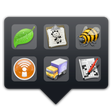
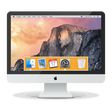
Dock Preview is a full version application designed for Mac users to customize and enhance their desktop experience. This utility allows users to preview and manage their Dock items efficiently, offering a visually appealing way to organize applications, files, and folders. With its intuitive interface, Dock Preview makes it easy to navigate and access frequently used items, providing a seamless workflow for productivity.

Top Recommended Alternative

In addition to its organizational features, Dock Preview includes various customization options that enable users to modify the appearance of their Dock. Users can choose from different themes, icons, and layouts to personalize their workspace. The application also supports quick access to system settings and preferences, ensuring that users can tailor their Mac environment to fit their specific needs.

Used Dock Preview for Mac?


Explore More


Full Specifications

GENERAL
Release
Latest update
Version
1.1
OPERATING SYSTEMS
Platform
Mac
Operating System
  • OS X 10.8
  • OS X 10.10
  • Mac OS X 10.7
  • Mac OS X
  • OS X 10.9
Additional Requirements
None
POPULARITY
Total Downloads
31
Downloads Last Week
0

Report Software

Program available in other languages


Last Updated


Developer’s Description

For designers and developers who want to know how their icons will look in the Dock.
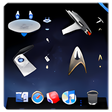
Dock Preview is utility for designers and developers who what to know how icon will look when placed in Dock. If you have several icons to choose from you can drag all of them into the Dock Preview and navigate through them using arrow keys or numeric1-9 keys.

Download.com
Your review for Dock Preview
Download.com

AI Assisted Content Disclosure

Content created and reviewed by Softonic with information obtained from Mojobytes, using AI.

CNET's editorial team was not involved in the creation of this content. Opinions, analysis and reviews were not provided by CNET.