Used DiskSpy for Windows?


Editors’ Review

Download.com staff
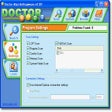
DiskSpy offers comprehensive access to every sector of your hard disk drives. View boot sectors, partition tables, file system entries, and data files with ease.
  • Pros

    • Displays every sector of installed hard disk drives.
    • Accesses bootsectors, partition tables, and file system entries.
    • Views simple data files.
    • Accessible areas protected by the operating system.
    • Completely operating-system-independent.
  • Cons

    No Cons available


Used DiskSpy for Windows?


Explore More


Full Specifications

GENERAL
Release
Latest update
Version
2.0
OPERATING SYSTEMS
Platform
Windows
Operating System
  • Windows 10
  • Windows 98
  • Windows 2000
  • Windows XP
Additional Requirements
  • Platform Independent
  • PC 486 or higher
  • 4MB RAM
  • VGA Video
  • Bootable floppy drive or CD-ROM
  • IDE hard disk controller
POPULARITY
Total Downloads
404
Downloads Last Week
0

Report Software

Program available in other languages


Last Updated


Developer’s Description

display every sector of any installed hard disk drives
DiskSpy enables you to view every sector of any installed hard disk drive. It is irrelevant if this sectors are bootsectors, partition tables, file system entries or simple data files. Also areas protected by the operating system are accessible, since DiskSpy is completely operating-system-independent.

Download.com
Your review for DiskSpy