
Used DietOrganizer for Windows?


Editors’ Review

Download.com staff
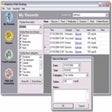
This app allows you to meticulously track your nutritional intake, exercise, and body measurements. It counts macronutrients and micronutrients, offering detailed diet reporting.
Enlarged image for DietOrganizer
DietOrganizer 0/1
  • Pros

    • Counts 32 nutrients including vitamins and minerals.
    • Editable spreadsheet for food intake entry.
    • Supports cut, copy, paste, undo, and redo.
    • Includes a large database of foods and exercises.
    • Provides charting, reporting, and calendar summary.
  • Cons

    • Requires manual input for food and exercise data.
    • Limited to a pre-defined list of nutrients.
    • No automatic food recognition from photos or barcodes.
Used DietOrganizer for Windows?


Explore More


Full Specifications

GENERAL
Release
Latest update
Version
3.0
OPERATING SYSTEMS
Platform
Windows
Operating System
  • Windows 10
  • Windows Vista
  • Windows XP
  • Windows 7
Additional Requirements
None
POPULARITY
Total Downloads
8,009
Downloads Last Week
7

Report Software

Program available in other languages


Last Updated


User Reviews

5/5

2 User Votes


Developer’s Description

Track your nutritional intake and report your diet progress.

Track nutrition, exercise, and body measurements. Count calories, fat, carbohydrate, protein, vitamins and minerals (32 nutrients in total). Enter your food intake on an easy to use editable spreadsheet (with full cut, copy, paste, undo, and redo), super-fast food selection, create new foods from food labels or from recipes. Choose from 7.000 foods and 200 exercises. Keep a daily journal, chart, and report your progress, calendar summary view, change colors, fonts, and columns.


Download.com
Your review for DietOrganizer