Used Dash Cam for Windows 10 for Windows?


The Download Now link directs you to the Windows Store, where you can continue the download process. You must have an active Microsoft account to download the application. This download may not be available in some countries.

Editors’ Review

Download.com staff
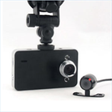
This app transforms your phone into a full-featured dash cam. It buffers video continuously, automatically saving crucial moments using its accelerometer, and offers customizable recording settings for complete control.

Top Recommended Alternative

Enlarged image for Dash Cam for Windows 10
Dash Cam for Windows 10 0/4
  • Pros

    • Buffers video to capture footage before the save event
    • Automatically saves recordings upon detected impact
    • Selectable video resolution and choice of camera
    • Back up and share recordings directly to SkyDrive
    • Disables automatic phone lock during active recording
  • Cons

    • Lacks continuous loop recording to overwrite old files
    • Does not record GPS speed or location data
    • Recording requires the app to be in the foreground
    • Trial version contains advertisements

Used Dash Cam for Windows 10 for Windows?


Explore More


Full Specifications

GENERAL
Release
Latest update
Version
0
OPERATING SYSTEMS
Platform
Windows
Operating System
Windows 10
Additional Requirements
Available for Windows 10 Mobile, Windows Phone 8.1, Windows Phone 8 (ARM)
POPULARITY
Total Downloads
144
Downloads Last Week
0

Report Software

Program available in other languages


Last Updated


Developer’s Description

Whether it be capturing video of meteors streaking across the sky, the stupidity of other drivers, or (we all hope not) the moments that lead up to an accident, a dashboard-mounted camera can be an invaluable driving accessory.

Download.com
Your review for Dash Cam for Windows 10