Used Cue Player Premium for Windows?


Editors’ Review

Download.com staff
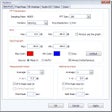
CP Premium offers theaters, churches, and schools precise control over sound cues and projections. Manage audio playback, fading, and even video with intuitive ease.
  • Pros

    • Plays sound cues and projections easily on cue
    • Supports various audio formats
    • Fade in, out, and cross-fade sounds by cue
    • Special mode for quick playback of 'jock jams'
    • Optional projection control for pictures and videos
  • Cons

    • Projection control requires an extra option

Used Cue Player Premium for Windows?


Explore More


Full Specifications

GENERAL
Release
Latest update
Version
3.11.11
OPERATING SYSTEMS
Platform
Windows
Operating System
  • Windows 10
  • Windows 7
Additional Requirements
None
POPULARITY
Total Downloads
163
Downloads Last Week
3

Report Software

Program available in other languages


Last Updated


Developer’s Description

Plays theater sound effect cues and projections easily and on cue.
CP Premium allows theaters, churches, and schools to control their sound effect cues and projections during a performance with ease and accuracy. Sounds can be in a variety of formats and played on command simply by the space bar. Sounds can be faded in, out, or cross-faded by cue. A special mode for sporting events allows quick playback of any "jock jam". The basic program will control sounds, an extra option adds similar control of pictures and videos for projections.

Download.com
Your review for Cue Player Premium