Used FabFilter Pro-Q (64 bit) for Windows?
FabFilter Pro-Q (64 bit) Analysis
AI Assisted Content ·
Not written by CNET Staff.
FabFilter Pro-Q (64 Bit) is a sophisticated equalization software designed for audio professionals and enthusiasts. This trial version offers a comprehensive set of features that enable users to shape their sound with precision. The interface is intuitive, allowing for easy navigation through various equalization modes. Users can apply up to 24 EQ bands and utilize features such as dynamic EQ and various filter shapes, which enhance the flexibility of audio manipulation.
Top Recommended Alternative

The program supports high-resolution audio processing and offers real-time spectrum analysis, which aids in making informed adjustments. Additionally, Pro-Q integrates seamlessly with digital audio workstations (DAWs), ensuring a smooth workflow for mixing and mastering projects. With its advanced functionality, FabFilter Pro-Q (64 Bit) stands out as a powerful tool in the multimedia category, particularly for those seeking to elevate their audio production capabilities.
An equalizer changes the relative levels of different frequency ranges in an audio signal. Pro-Q allows users to create multiple filter bands, adjust their frequencies and gain, and choose filter shapes such as bell, shelf, and high-pass or low-pass filters, depending on the version. A visual spectrum display helps users understand where energy is concentrated in the signal.
This makes it useful for a broad range of tasks. A producer might reduce muddiness in a bass instrument, soften harsh frequencies in a vocal, or create more space for a lead instrument in a dense mix. Mastering engineers can use it for subtle tonal adjustments, while sound designers can apply more dramatic filtering for creative effects.
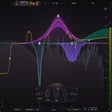
The interface is designed to make complex frequency work approachable. Users can select points on a frequency curve and adjust them directly, while more detailed parameters provide additional control. Depending on the edition, features may include spectrum comparison, mid/side processing, channel-specific operation, and advanced filter modes.
However, the plugin's extensive controls can overwhelm beginners. Equalization also requires judgment: a visually prominent frequency peak does not necessarily indicate a problem, and excessive processing can weaken a mix. Pro-Q is a specialized tool rather than a complete audio-production environment, and it requires compatible host software. It is also commercial software, so its cost may be difficult to justify for occasional users.
What The Community Is Saying
- The Highs
Widely regarded as an industry standard EQ, praised almost universally for its intuitive visual interface, features like Spectrum Grab and dynamic EQ, and simple license key installation with no dongle required.
- The Lows
The most common complaint is the price, and a few note it is not a full substitute for dedicated resonance suppression tools for very specific mixing problems.
- The Verdict
One of the most respected EQ plugins in music production, well worth it if the price fits your budget.
Pros
- Precise control over frequency balance.
- Visual spectrum analysis supports informed adjustments.
- Suitable for mixing, mastering, and sound design.
- Flexible filter types and adjustable parameters.
- Direct graphical editing makes many tasks efficient.
Cons
- Commercial licensing may be expensive for beginners.
- Requires compatible digital audio workstation software.
- Advanced options can create a learning curve.
- Visual analysis may encourage unnecessary processing.
- Poor equalization decisions can damage tonal balance.
Bottom Line
FabFilter Pro-Q is a capable professional equalizer that combines precision with an intuitive visual workflow. It is especially valuable for users who need detailed control over frequency balance in demanding audio projects. Its price and advanced features may be excessive for casual producers, but it remains a strong option for serious mixing and mastering work.
Used FabFilter Pro-Q (64 bit) for Windows?