Used Crystal - Icon Pack for Android?


Crystal - Icon Pack Analysis

AI Assisted Content ·

Not written by CNET Staff.

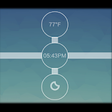
Crystal - Icon Pack is a comprehensive customization tool designed for Android devices, allowing users to personalize their home screen and app drawer with beautifully crafted icons. This program boasts a vast collection of icons, all featuring a cohesive design that aims to provide a sleek and modern aesthetic. With its user-friendly interface, users can easily navigate through various categories of icons, ensuring that their devices reflect their personal style and preferences.

Top Recommended Alternative

In addition to its extensive icon library, Crystal - Icon Pack supports various launchers, making it compatible with a wide range of Android devices. Users can also find options to request new icons, further enhancing the customization experience. The app is regularly updated, ensuring that users have access to the latest designs and features. Overall, Crystal - Icon Pack offers a valuable resource for those looking to elevate the visual appeal of their Android devices.

Enlarged image for Crystal - Icon Pack
Crystal - Icon Pack 0/4

Used Crystal - Icon Pack for Android?


Explore More


Full Specifications

GENERAL
Release
Latest update
Version
1.013
OPERATING SYSTEMS
Platform
Android
Additional Requirements
None
POPULARITY
Total Downloads
11
Downloads Last Week
0

Report Software

Program available in other languages


Last Updated


Developer’s Description

Icon Pack/Icon Changer: Crystal is a icon changer with similar icon masking to theme your unthemed icons: How to apply this Icon Pack/Icon Changer?

Icon Pack/Icon Changer: Crystal is a icon changer with similar icon masking to theme your unthemed icons:

How to apply this Icon Pack/Icon Changer ?

This icon pack supports a number of popular launcher such as nova launcher, evie launcher and many more. So applying this icon pack is too easy. Follow these steps to apply

1. Open Icon Pack App

2. Navigate to Apply Icon Pack Screen

3. The app shows a list of launcher that are supported such as nova launcher, evie launcher etc. Select the nova launcher installed on your phone to apply icons from this icon pack.

4. The app will automatically applies the icons from this icon pack for nova launcher.

Note: If launcher doesn't show while applying from the icon pack. Please try applying from the launcher itself.

Icon Pack for Nova Launcher

Icon Pack for Apex Launcher

Icon Pack for ADW Launcher

Icon Pack for Arrow Launcher

Icon Pack for Action Launcher

Icon Pack for ABC Launcher

Icon Pack for Evie Launcher

Icon Pack for Holo Launcher

Icon Pack for Lucid Launcher

Icon Pack for M Launcher

Icon Pack for N Launcher

Icon Pack for Solo Launcher

Icon Pack for Xperia Home Launcher

Icon Pack for Aviate Launcher

Icon Pack for KK Launcher

Icon Pack for Nine Launcher

Icon Pack for Blur Launcher

Icon Pack for Trebuchet Launcher

Icon Pack for Unicon Launcher

Icon Pack for Smart Launcher and probably more

DISCLAIMER

You may need a 3rd party launcher to apply the icon pack. If your stock launcher doesn't support icon pack, you can use apps like Awesome Icons or Unicon to change your icons without using a 3rd party launcher.

FEATURES OF CRYSTAL ICON PACK

- 4200+ icons and counting

- Icon masking to theme your unthemed icons

- 40+ HD Wallpapers

- Dynamic Calendars

- Alternate icons

- Unlimited Icon Request

- Icon resolution 192x192px

All the best!


Download.com
Your review for Crystal - Icon Pack
Download.com

AI Assisted Content Disclosure

Content created and reviewed by Softonic with information obtained from Kandara Apps, using AI.

CNET's editorial team was not involved in the creation of this content. Opinions, analysis and reviews were not provided by CNET.