Used G6 UX 6.0 Black Theme for LG G6 G5 V30 G4 V20 K10 for Android?


G6 UX 6.0 Black Theme for LG G6 G5 V30 G4 V20 K10 Analysis

AI Assisted Content ·

Not written by CNET Staff.

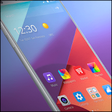
G6 UX 6.0 Black Theme for LG G6, G5, V30, G4, V20, and K10 is a comprehensive customization tool designed for users of specific LG smartphone models. This full version software allows users to apply a sleek black theme to their devices, enhancing the aesthetic appeal and providing a modern look. Key features include various icon packs, customized wallpapers, and an overall dark interface that complements the hardware design of LG smartphones.

Top Recommended Alternative

The theme is specifically tailored for LG devices, ensuring compatibility and optimal performance. Users can expect an easy installation process, as well as the ability to revert to the default settings if needed. The program aims to enhance user experience by providing a cohesive visual style that integrates seamlessly with the LG software environment.

Enlarged image for G6 UX 6.0 Black Theme for…
G6 UX 6.0 Black Theme for LG G6 G5 V30 G4 V20 K10 0/4

Used G6 UX 6.0 Black Theme for LG G6 G5 V30 G4 V20 K10 for Android?


Explore More

Full Specifications

GENERAL
Release
Latest update
Version
1.5
OPERATING SYSTEMS
Platform
Android
Additional Requirements
None
POPULARITY
Total Downloads
130
Downloads Last Week
0

Report Software

Program available in other languages


Last Updated


Developer’s Description

By N.A DEV
UX 6.0 Black Theme is a dark theme to be applied on LG device, it is compatible with most LG stock ROMs and LG stock based Custom ROMs theme...

UX 6.0 Black Theme is a dark theme to be applied on LG device, it is compatible with most LG stock ROMs and LG stock based Custom ROMs theme engine:

- LG G series LG G6/LG G5/LG G4/LG G3/LG G2

- LG V series LG V30/LG V20/LG V10

- LG K series

Theme Features

- G6 UX 6.0 style app icons and Dark system ui

- UX 6.0 Weather widget for both LG Home, Home&app drawer app and LG EasyHome

- System UI themed(require Android 7.0 +)

- Home screen and Lock Screen Wallpaper

- Live Calendar icon(G2 / G3 / G4)

- Icon background(not working on LG G4 K10)

- No root required!

- can work without setting LGHome as your default Launcher(G5/V20/G6)!

- Alarm Clock app themed

- LG Backup app and LG Backup Launcher themed

- Browser Clock app themed

- Calendar app themed

- Camera app themed

- Contacts and icecontacts app themed

- Email app themed

- File manager app themed

- FM Radio app themed

- Gallery app themed

- Hifi recorder app themed

- LG IME Keyboard app themed

- Messaging app themed

- Music app themed

- Phone, LG telecom and incallui app themed

- Phone management app themed

- QMemo+ app themed

- QRemote app themed

- QVoicePlus app themed

- Settings app themed

- Spring Clean app themed

- Smart Share Cloud app themed

- Tasks app themed

- TDMB app themed

- RCS Call app themed

- Voice Recorder app themed

- Weather app themed

Installation

1. LG Home&app drawer(old): Go To your app drawer, press Menu button, click Home screen settings and select this theme.

2. LG Home(new): Long Press Home screen, click Theme and select this theme.

3. System Settings - Display - Theme - Select this theme

4. Restart your device if theme isn't working properly.

*LG G2 is an Android smartphone developed by LG Electronics.

*LG G3 is an Android smartphone developed by LG Electronics.

*LG G4 is an Android smartphone developed by LG Electronics.

*LG G5 is an Android smartphone developed by LG Electronics.

*LG G6 is an Android smartphone developed by LG Electronics.

*LG V10 is an Android smartphone developed by LG Electronics.

*LG V20 is an Android smartphone developed by LG Electronics.

*LG is a registered trademark of LG Electronics, Inc.


Download.com
Your review for G6 UX 6.0 Black Theme for LG G6 G5 V30 G4 V20 K10
Download.com

AI Assisted Content Disclosure

Content created and reviewed by Softonic with information obtained from N.A DEV, using AI.

CNET's editorial team was not involved in the creation of this content. Opinions, analysis and reviews were not provided by CNET.