Used Clock-on-Desktop Lite for Windows?


Editors’ Review

Download.com staff
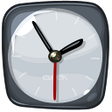
This desktop clock application provides extensive customization options. Choose from over 50 skins, adjust size, and fine-tune display settings for a personalized experience.
Enlarged image for Clock-on-Desktop Lite
Clock-on-Desktop Lite 0/1
  • Pros

    • Over 50 selectable clock skins available
    • Adjustable clock size without quality loss
    • Extensive fine-tuning options
    • Supports multiple timezones
    • Adjustable transparency and shadow effects
  • Cons

    • Only analog clock style is offered
    • Requires hovering to access customization

Used Clock-on-Desktop Lite for Windows?


Explore More


Full Specifications

GENERAL
Release
Latest update
Version
2010.3-build-2760
OPERATING SYSTEMS
Platform
Windows
Operating System
  • Windows 10
  • Windows Vista
  • Windows 7
  • Windows Server
  • Windows XP
  • Windows 2000
  • Windows 2003
Additional Requirements
None
POPULARITY
Total Downloads
431
Downloads Last Week
0

Report Software

Program available in other languages


Last Updated


Developer’s Description

Set customizable clock on your desktop.

Installation package includes clock with more then 50 various skins. You can easily change the size of the clock without loss of rendering quality. There are a lot of options for fine-tuning: display the name on the clock, choice of timezone, transparency, display on the desktop or above all windows, shadows under clock and (or) hands, clock color. After installation you will see analog clock in the center of your desktop. To customize clock, just click on the appropriate button which appears when you hover the mouse over the clock.


Download.com
Your review for Clock-on-Desktop Lite