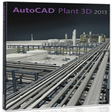
AutoCAD Plant 3D for Windows
- By Autodesk
- Trial version
- User Rating
Used AutoCAD Plant 3D for Windows?
Editors’ Review
AutoCAD Plant 3D is a productivity tool for professionals working on plant layouts and piping systems. It offers a robust 3D modeling environment where users can create and edit piping and instrumentation diagrams (P&IDs) with automation features, making complex plant designs more manageable. Its cloud-based collaboration features make teamwork easier.
Top Recommended Alternative
With AutoCAD Plant 3D, users can take advantage of specialized tools for piping, equipment, and instrumentation. The program’s intuitive interface allows faster project setups and better visualization, making it a solid choice for engineers, designers, and technical teams. Cloud integration ensures the latest project files are always accessible to collaborators.
AutoCAD Plant 3D excels in usability and design efficiency, making it a reliable choice for professionals in plant layout and piping design. The P&ID and 3D modeling features allow users to draft detailed diagrams and generate accurate isometric drawings automatically. This animation's interface supports in-context commands that streamline workflows, while the redesigned Spec Editor simplifies managing catalogs and specifications. Overall, the program minimizes repetitive tasks, enhancing design consistency and precision.
Comprehensive analysis of plant design software
Collaboration is its another key strength, supporting seamless teamwork in complex projects. With a connected support files system and cloud-based project management, multiple team members can work simultaneously without file version conflicts or miscommunication. The enhanced project backup and audit interface, along with shared selection lists, provides clarity, security, and easy tracking. Users can also update project names directly from Project Setup, keeping all project data organized and accessible.
However, AutoCAD Plant 3D has a steep learning curve for newcomers. Mastering its full potential requires familiarity with CAD software principles. Some advanced modeling features, like nozzle reduction and equipment previews, may require practice to use efficiently. Additionally, while the program is feature-rich, competitors sometimes offer similar functionality at a lower price, making budget considerations important for small teams.
Pros
- Enhanced 3D modeling
- Cloud collaboration tools
- Automated P&ID drafting
Cons
- Steep learning curve
- Price compared to competitors
Bottom Line
Blueprints perfected
AutoCAD Plant 3D is a comprehensive plant design tool that merges precise P&ID drafting, advanced 3D modeling, and secure collaborative features. Its automation capabilities and modernized interface significantly enhance workflow efficiency, though newcomers may require time to fully adapt. For teams handling industrial plant projects, the program delivers robust functionality and reliable cloud support, ensuring smooth project management and consistent design accuracy from start to finish.
What’s new in version 2026
- Enhanced project collaboration with modern backup and audit tools
- Redesigned Spec Editor with better customization and interface
- 3D modeling improvements including optimized visual styles and equipment previews
AutoCAD Plant 3D for Windows
- By Autodesk
- Trial version
- User Rating
Used AutoCAD Plant 3D for Windows?
Explore More

Sponsored
Adobe Stock
Trial version
Cade Simu
Free
Realtime Landscaping
Trial version
MathPlayer
Free
progeCAD 2009 Smart
FreeAnime Studio Pro
Trial version
Autodesk 3DS Max
Trial versionCharacter Creator
Trial version
Edge Diagrammer
Trial version
GeekerPDF
Trial version
LanFlow Net Diagrammer
Trial versionIHDP InHouse Digital Publishing
Trial version











