
Used AureoSoft See-and-Calc for Windows?
AureoSoft See-and-Calc Analysis
AI Assisted Content ·
Not written by CNET Staff.
AureoSoft See-and-Calc is a free productivity application designed for Windows that specializes in providing advanced calculation capabilities. This software allows users to perform a variety of mathematical operations, including basic arithmetic, scientific calculations, and even complex equations. It features a user-friendly interface that accommodates both novice and experienced users, making it accessible for different skill levels. Additionally, the program supports customizable settings, enabling users to tailor the interface to their preferences.
Top Recommended Alternative
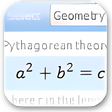
One of the standout features of AureoSoft See-and-Calc is its ability to display calculations in real-time, which enhances the user experience by providing immediate feedback on entered data. The software also supports multiple calculation modes, including a standard mode for everyday calculations and an advanced mode for more technical computations. With its lightweight design and free availability, AureoSoft See-and-Calc serves as an efficient tool for anyone in need of a reliable calculator on the Windows platform.
Used AureoSoft See-and-Calc for Windows?