Used Audiofan MP3 to Wave Converter for Windows?


Editors’ Review

Download.com staff
This application converts MP3 files to WAV format for CD burning. It supports playlist files and offers batch conversion options, making it versatile for music enthusiasts.
  • Pros

    • Converts MP3 to WAV for CD burning.
    • Supports M3U and PLS playlist files.
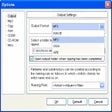
    • Attractive WinZip style interface.
    • Eliminates corrupted files during conversion.
    • Supports command line batch processing.
  • Cons

    • Saves converted file lists to XML or HTML only.

Used Audiofan MP3 to Wave Converter for Windows?


Explore More


Full Specifications

GENERAL
Release
Latest update
Version
1.2
OPERATING SYSTEMS
Platform
Windows
Operating System
  • Windows ME
  • Windows 2000
  • Windows 95
  • Windows NT
  • Windows 10
  • Windows 98
Additional Requirements
Windows 95/98/Me/NT/2000
POPULARITY
Total Downloads
38,111
Downloads Last Week
0

Report Software

Program available in other languages


Last Updated


User Reviews

2.3/5

3 User Votes


Developer’s Description

Convert MP3 files into WAV format to burn your own CDs.
From the developer: "With Audiofan MP3 to Wave Converter you can easily convert MP3 files into WAV files before burning it on CD-R. It is very configurable and has an attractive WinZip style interface with Windows XP looking buttons. You can drag and drop not only MP3 files, but also M3U and PLS play list files, then convert them with the same structure of album catalog, eliminate corrupted files and see converted WAV files in a result list. After that you can even save the list of converted files into an XML or HTML file. The program also works with command line parameters that allow using it in batch processes to convert huge numbers of files. Highly recommended for all music fans and music studios."

Download.com
Your review for Audiofan MP3 to Wave Converter