Used AS-Analog Clock for Windows?


AS-Analog Clock Analysis

AI Assisted Content ·

Not written by CNET Staff.

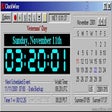
AS-Analog Clock is a free software application designed for Windows that offers users a visually appealing way to keep track of time. This program features an analog clock display that can be customized according to user preferences, allowing for a personalized touch to any desktop environment. With its straightforward interface, AS-Analog Clock provides an easy way to manage time while enhancing the aesthetic appeal of the user's workspace.

Top Recommended Alternative

In addition to its primary function as a clock, this software includes several alarm features, enabling users to set reminders and alerts. The program supports various customization options, such as different clock styles and colors, making it suitable for a wide range of tastes. Overall, AS-Analog Clock serves as a practical tool for users seeking a functional yet stylish way to manage their time.

Enlarged image for AS-Analog Clock
AS-Analog Clock 0/1

Used AS-Analog Clock for Windows?


Explore More


Full Specifications

GENERAL
Release
Latest update
Version
1.20
OPERATING SYSTEMS
Platform
Windows
Operating System
  • Windows 2003
  • Windows Server
  • Windows XP
  • Windows 7
  • Windows 10
  • Windows Vista
Additional Requirements
None
POPULARITY
Total Downloads
73
Downloads Last Week
1

Report Software

Program available in other languages


Last Updated


Developer’s Description

Display an analog clock on your desktop.
AS-Analog Clock is a analog clock to keep track of time on your desktop. Right-click on the board to select settings. You can choose size, color scheme and transparency, the clock can be always on top and you can lock its position. AS-Analog Clock shows the time in both analogue and digital formats.

Download.com
Your review for AS-Analog Clock
Download.com

AI Assisted Content Disclosure

Content created and reviewed by Softonic with information obtained from Andreas Software, using AI.

CNET's editorial team was not involved in the creation of this content. Opinions, analysis and reviews were not provided by CNET.