Used ArduDroid for Android?
Editors’ Review
ArduDroid, developed by Hazim Bitar, is an Android utility that turns a phone into a Bluetooth controller for Arduino Uno boards, intended for quick remote interaction. The app exposes a compact control interface and supports serial text exchange so a mobile device can operate attached hardware. It targets hobbyists, STEM students, and makers who need a portable, phone-based way to test and demo simple electronics projects.
Top Recommended Alternative
The app translates touch controls into serial commands the board understands. In practice the tool provides direct control over outputs and reads back analog values through a serial link. Key technical points include:
How the app maps phone controls to Arduino pins
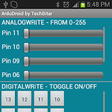
- digital pin on/off control and PWM sliders for output adjustment
- real-time analog pin readings presented on the device
- bidirectional serial text exchange between phone and board
How it performs on legacy and low‑spec Android devices
Designed for minimal device impact, the app is extremely small and compatible with older phones. The binary is under 100KB, so storage impact is negligible on most devices. Compatibility extends from legacy Androidup to more modern releases, provided the handset has Bluetooth hardware. That small footprint makes it usable on budget handsets commonly found in classroom or hobbyist setups.
Is it safe to run on hardware projects?
Operational safety depends on the uploaded sketch and the connected circuitry. The app sends serial commands that the Arduino sketch interprets and then drives pins accordingly, so any output behavior is determined by that code. Bidirectional feedback lets you monitor sensor values before applying loads. Because control reaches physical pins directly, test with low-power indicators before connecting motors or high-current devices.
Do you need coding skills to use ArduDroid?
The mobile side needs no Android development, but basic Arduino steps are required. The interface is split across main control, settings, and hardware configuration panels to simplify setup. A prewritten Arduino sketch (the required firmware) must be uploaded to the board, so users need familiarity with loading sketches and wiring HC-05/HC-06 Bluetooth-to-serial modules. The app’s origin and frequent appearance in maker tutorials suit classroom and entry-level maker workflows.
Pros
- Prewritten Arduino sketch enables rapid phone-to-board control
- Bidirectional serial allows Arduino feedback to the device
- Under 100KB installer keeps mobile footprint minimal
- Optimized for HC-05 and HC-06 Bluetooth modules
Cons
- Requires uploading the specific ardudroid.ino sketch to the board
- Optimized for HC-05/HC-06, limited for other Bluetooth adapters
- Older application, may lack recent interface refinements
Bottom Line
A practical choice for entry-level makers, with a clear scope and predictable trade-offs
ArduDroid is a practical tool for classroom exercises and quick prototypes because it reduces reliance on a desktop development loop and has a tiny footprint. The trade-off is a focused scope: it relies on phone-to-serial Bluetooth links and the supplied sketch rather than custom mobile code. Practical tip: pair the module and verify outputs with LEDs before powering actuators. Recommended.
Explore More

My Name Ringtone Maker
Free
IoPT: Network Security Scanner
Free
ShinePhone.
Free
LED Torch
Free
MOV To MP4 Converter
Free
Battery Full Charged Alarm
Free
Тамам Клавиатура
Free
System Monitor Float Free
Free
Deleted Photo Recovery
Free
VideoShowLite: Video editor
Free
BlackPinK Fake call - BlackPink Video Call
Free
show battery percentage
Free











