Used Application Scheduler for Windows?


Editors’ Review

Download.com staff
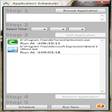
This utility automates program execution. Add applications to a scheduler list, set a specific launch time, and activate the schedule. Users can browse for programs and remove any scheduled task from the list.
  • Pros

    • Schedules applications to launch at a user defined time
    • Maintains a list of multiple scheduled applications
    • Allows removal of scheduled tasks from the list
    • Adds applications by browsing to their folder location
  • Cons

    • No support for recurring or repeating schedules
    • Lacks support for command line arguments
    • Does not support conditional task triggers
    • Limited to scheduling application executables only

Used Application Scheduler for Windows?


Explore More


Full Specifications

GENERAL
Release
Latest update
Version
1.0
OPERATING SYSTEMS
Platform
Windows
Operating System
  • Windows 7
  • Windows Vista
  • Windows 10
  • Windows XP
Additional Requirements
None
POPULARITY
Total Downloads
111
Downloads Last Week
0

Report Software

Program available in other languages


Last Updated


Developer’s Description

Automate your system to launch application at a defined time.
Application Scheduler, is a tool to schedule an application at specific time to run. Add a Program that you want to run, set your time and add to your Scheduler List. Press Schedule to Schedule your applications/programs list. At any time you can remove your application to stop running. To add application you need to Browse to the folder from where the application is running.

Download.com
Your review for Application Scheduler