Used Ace Screen Capture for Windows?


Editors’ Review

Download.com staff
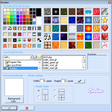
Ace Screen Capture offers a comprehensive suite of tools to simplify and enhance your screenshot process, featuring shape plugins and batch saving.
  • Pros

    • Supports custom shape plugins for diverse captures
    • Batch saving mode automates sequential screenshots
    • Supports multiple image formats like PNG and JPG
    • Redesigned toolbar for intuitive use
    • Free lifetime updates after registration
  • Cons

    • Plugin functionality may require separate downloads
    • No mention of advanced editing features

Used Ace Screen Capture for Windows?


Explore More


Full Specifications

GENERAL
Release
Latest update
Version
2.15
OPERATING SYSTEMS
Platform
Windows
Operating System
  • Windows 98
  • Windows ME
  • Windows XP
  • Windows 10
  • Windows NT
  • Windows 95
  • Windows 2000
Additional Requirements
Windows 95/98/Me/NT/2000/XP
POPULARITY
Total Downloads
9,196
Downloads Last Week
0

Report Software

Program available in other languages


Last Updated


User Reviews

1/5

1 User Votes


Developer’s Description

Enhance your screenshots with this set of capture tools.
From the developer: ""Ace Screen Capture is designed to make all aspects of screenshots easier through extensible and flexible frameworks.It is a complete set of screen capture tools.By using new designed features,you can capture screenshots with Shapes Plugins:Star,Ellipes,Film,Pentagon and other designed plugins,you can download new designed Shapes Plugins to capture new shapes with no need to update the whole program.Then you can save them in BMP,JPG,TGA,TIFF,PNG,PNM formats or Email to someone.When you use Batch Saving Mode,AceCapture will auto save screenshots one by one and name them in the form you wish.The re-designed Toolbar gives you an easy solution to capturing and saving.You will see more features in using our program. Register this software only $25,Once you register it,you can FREE UPDATE FOREVER with more new feature in the future.""

Download.com
Your review for Ace Screen Capture