Used Access2MySQL SYNC for Windows?


Editors’ Review

Download.com staff
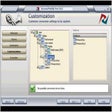
Access2MySQL Sync expertly converts and synchronizes Microsoft Access databases with MySQL. It offers a user-friendly wizard, command-line support, and an integrated scheduler for automated tasks.
  • Pros

    • Converts MS Access to MySQL and vice versa.
    • Synchronizes databases effectively.
    • Allows selection of specific tables for conversion.
    • Features a wizard-like interface for ease of use.
    • Includes command-line parameters and a built-in scheduler.
  • Cons

    • Command line mode speed optimization.
    • Fixes bug with spaces in table names.
    • Fixes bug with MySQL server 4.1.3.
    • Additional data validation in wizard.

Used Access2MySQL SYNC for Windows?


Explore More


Full Specifications

GENERAL
Release
Latest update
Version
3.8.2
OPERATING SYSTEMS
Platform
Windows
Operating System
  • Windows ME
  • Windows 10
  • Windows XP
  • Windows 2000
  • Windows 98
  • Windows NT
Additional Requirements
Windows 98/Me/NT/2000/XP/2003 Server
POPULARITY
Total Downloads
3,480
Downloads Last Week
0

Report Software

Program available in other languages


Last Updated


Developer’s Description

Convert and synchronize Microsoft Access databases to MySQL and vice versa.

Access2MySQL Sync performs MS Access (mdb) to MySQL and MySQL to Access database conversions with synchronization and ability to choose particular tables to be converted simply by configuring several options in wizard-like application. Ability to organize application work using command line parameters is supplemented with built-in scheduler so you can run the program without user input after having scheduled it once.

Version 3.8.2 optimizes command line mode speed, fixes command line bug with spaces in table names and bug with MySQL server 4.1.3, and features additional validation of entered data in wizard.


Download.com
Your review for Access2MySQL SYNC