Used Trend Micro HijackThis for Windows?
Editors’ Review
HijackThis remains a recognizable utility among users who regularly troubleshoot malware, browser issues, and suspicious startup activity. Its detailed system reports and repair tools continue attracting experienced users looking for deeper control over system behavior and hidden processes.
Top Recommended Alternative

Many users still rely on HijackThis when standard antivirus programs fail to explain unusual performance problems or unwanted browser changes. Similar utilities like Autoruns and Process Explorer offer monitoring features, yet this program remains valued for producing readable logs and exposing hidden entries that could affect security, startup speed, or system stability during computer use and maintenance tasks.
HijackThis focuses heavily on system inspection instead of automatic protection, making it more useful for troubleshooting than antivirus defense. The program scans settings, startup items, services, and registry entries to expose spyware and other changes that may affect stability or security. Compared with Autoruns or AdwCleaner, the tool gives users direct control over identifying activity. However, beginners may struggle to understand which entries are safe to remove without guidance or research.
Features commonly discussed by experienced users
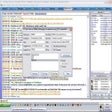
The scanning process runs quickly and generates organized logs that help users locate unwanted browser changes, startup entries, or hidden background processes. Its lightweight structure avoids slowing activity, which users appreciate during troubleshooting sessions. Process Explorer and Malwarebytes provide similar diagnostic support, though this utility remains appealing for detailed manual inspection. On the downside, limited automation means users must spend more time reviewing results carefully before making cleanup decisions or repairs.
Despite its usefulness for advanced troubleshooting, the program may feel outdated for users expecting automation or guided security recommendations. Some repair actions can accidentally remove safe entries if changes are applied too quickly without understanding. Even with those risks, the software remains valuable for experienced users who prefer hands-on system analysis instead of relying completely on antivirus behavior. Its detailed reports, fast scans, and controls still provide troubleshooting support overall.
Pros
- Generates detailed and organized system reports
- Lightweight scans avoid slowing normal activity
- Provides direct control over troubleshooting tasks
- Quickly detects suspicious startup and browser entries
Cons
- Beginners may struggle with manual cleanup decisions
- Limited automation compared to modern security tools
- Incorrect repairs may remove safe system entries
- Some users may find the interface outdated
Bottom Line
Reliable troubleshooting support for skilled users
HijackThis remains a strong option for users wanting deeper control over system diagnostics, startup monitoring, and browser troubleshooting. Its lightweight scanning, detailed reports, and direct repair options make it useful when tracking hidden issues that antivirus programs may overlook. While beginners could struggle with manual cleanup decisions and limited automation, experienced users will likely appreciate the program’s fast performance, flexible controls, and detailed inspection tools for maintaining system performance.
What’s new in version 2.10.0.13
- Improved compatibility with newer system environments and browser settings
- Better detection support for suspicious startup and registry entries
- Updated scanning behavior for cleaner and more readable reports
- General stability improvements and minor bug fixes across core functions
Used Trend Micro HijackThis for Windows?