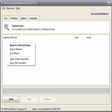
Even with a good spyware fighter, it can be difficult to tell exactly what's running on your computer, and what each cryptically named process is actually doing. MalWhere helps guide computer users through the thicket of active computer programs, identifying each bit of software that's running in the background, describing whether it's a driver for your video card or a dangerous Trojan horse, and rating its potential danger. Another program will be needed to actually remove any malware found, however. We were perplexed with a few of the program's ratings; for instance, it marked a popular antispyware utility as very unsafe. Overall, MalWhere could be a very useful tool to help explain exactly what's happening on your computer, but we recommend having dedicated antivirus and antispyware tools to be fully protected from Net-borne threats.
sent my computer haywire! would'nt uninstall! somthing is definetly not right with this sample program!
Summary
nice not
morticiagoth
Pros
none
Cons
i downloaded it and instailed it and never guess wot a trojan horse came with it. nice program.. NOT.... oh ignore the star rating id give it a big fat 0..
Summary
good addition to task manager
19monty64
Pros
(AVG, A-squared & SuperAntiSpyware gave it the O.K.) Tested this with Task Mgr. open & started other progs. and it works...helps you find the answers... lots of help files and even a help forum. Found it very handy and it comes with it's own uninstaller. Give it a try!
Cons
Every time you use it, it does a google-search and comes back with cookies. Maybe if it used my Opera or FireFox browser it would come back clean.
Summary
Ok, but not all that good
The_Nameless
Pros
Tells you about the programs that are running on your PC.
Cons
Could have more detail in what is found, such as the regular file size on all programs, or whatnot.
Summary
cool free app to help you understand whats running on your computer
pillowpower2012
Pros
1) Free
<p>2) Simple
<p>3) Updates unknown processes by using Google
Cons
None
Summary
Dont download this
jon234
Pros
I like that it tells you what risk each program is.
Cons
When I first ran this Microsoft Anti-Spyware blocked it cause it declared it an adware threat so I uninstalled it.
Summary
It is really a must
pillowpower2012
Pros
If you want to know what is running on your machine MalWhere is the best. Even if there is a new process it doesnt recognizes it will query google for you and show you the results in an ordered list of Pros and Cons. Great sutff.
Cons
Summary
Thank you!
princeof4
Pros
Been looking for this kind of program. Very cool how there are links to more info about the process. Thanks for making it free :)
Cons
Summary
Great
alwaysbtray
Pros
MalWhere is the best! I find it very useful. Try it yourself and dont post reviews about what other sites tell you about I dont know what... MalWhere doesnt contain any spyware this is BS.
Cons
Summary
I actually downloaded and tried it.
dringstart
Pros
MalWhere is very useful when you want to know if something "fishy" is running on the PC. If you do find a problematic process you can stop it or delete it. MalWhere also showing the startup programs that runs and you can delete those who you don’t want. It of course gives you information about each program. The coolest part is that it uses google to fine information about processes it doesn’t recognize, it then analyzes it and present you with the results. Unlike most of the reviews here, I actually downloaded it and tried it and didn’t post a warning about and OLDER version on some site. Please try to write a review after you tried a program.
Monitor processes and identify those imposing a security risk.MalWhere is the perfect complement to firewalls and anti-virus software; with MalWhere you can monitor all the processes that run on your computer and identify those that impose a security risk. Identify those processes that harbor spyware and Trojans violating your privacy and giving hackers free reign on your computer. Know who is using your precious system resources.