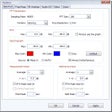
MP3 Splitter Joiner Pro splits a large MP3 file (up to 10 GB) into multiple smaller pieces, and joins multiple MP3 files into a single file. You can split a MP3 file by file size, pieces count, time or custom selections. MP3 Splitter Joiner Pro provides a time slider bar to visually position the points where you want to split. You can also preview every custom piece, and split with fade-in and fade-out effect and forward and backward overlap. The MP3 splitter keeps ID3 tags information and supports to custom title of target MP3 ID3 tag. For example: add sequence and total number to title, makes you can identify output pieces in your MP3 player, iPod, and iTunes easily. To save your time, MP3 Splitter Joiner Pro also supports batch split, you can split a batch of MP3 files at a time. The software splits MP3 files directly without re-encoding; so it exactly keeps sound quality of original MP3 files.The MP3 joiner joins MP3 files into single one file. Any MP3s are supported; even they're encoded different encoding parameters such as sample frequency, bit rate, and channels. And you can customize encoding parameters of target MP3. The program also supports batch join. The feature allows you to insert one or more MP3 files to beginning of a batch MP3 files, and append one or more MP3 files to end of a batch MP3 files.
1) Accurate: the product allows you to split MP3's down to tenth's of a second. Thus, editing of MP3's is very accurate.<br />2) Fast: splitting/joining MP3's take seconds to perform. <br />3) Good product support: Hoo tech's have been helpful.
Cons
None that come to mind.
Summary
Finally, I have total control over the music I listen to. If there is a section of an MP3 which I don't like (for example, an long annoying drum solo),I simply edit this section out using the MP3 Splitter Joiner Pro. In order to learn how to use the product, good tutorials are provided .It is the best $ 29.95 I ever spent.
Not functional
Ggramatik
Pros
None
Cons
Tried it. Does not trim files as requested in interface.