
Used GVoiceSearch for Windows?


Editors’ Review

Download.com staff
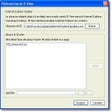
QueryBlitz transforms your CapsLock key into a dedicated Google Voice Search button. This tool offers a quick and unique way to initiate voice searches within Google Chrome.
  • Pros

    • Utilizes CapsLock key for voice search activation
    • Integrates seamlessly with Google Chrome
    • Provides a novel user interaction method
    • Simple and direct functionality
  • Cons

    • Requires Windows 7 operating system
    • Disables standard CapsLock functionality while active
    • Only works with Google Chrome browser
Used GVoiceSearch for Windows?


Explore More


Full Specifications

GENERAL
Release
Latest update
Version
0.1.0
OPERATING SYSTEMS
Platform
Windows
Operating System
  • Windows 7
  • Windows 10
Additional Requirements
None
POPULARITY
Total Downloads
161
Downloads Last Week
0

Report Software

Program available in other languages


Last Updated


User Reviews

5/5

1 User Votes


Developer’s Description

Turn your CapsLock key into a Google Voice Search button.
If you have Windows 7 and Google Chrome, you can use this app to turn your CapsLock key into a button that searches Google via Voice Search. In this version, as long as the application is running, your CapsLock key won't work for locking caps, but it will allow you to search Google with your voice, which is far cooler.

Download.com
Your review for GVoiceSearch