Used Cursor Translator for Windows?


Editors’ Review

Download.com staff
Cursor Translator offers instant on-screen word translations by simply hovering your mouse. It supports a vast array of languages and integrates seamlessly with your workflow.
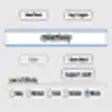
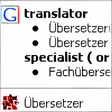
Enlarged image for Cursor Translator
Cursor Translator 0/1
  • Pros

    • Translates words on screen by mouse cursor movement
    • Supports 53 languages, including Chinese variants
    • Quick language swap with a single click
    • Tool window is resizable and dockable
    • Compatible with Windows 10 (32/64-bit)
  • Cons

    • Requires mouse cursor movement for translation
    • Translation disabled unless SHIFT key is pressed

Used Cursor Translator for Windows?


Explore More


Full Specifications

GENERAL
Release
Latest update
Version
3.2
OPERATING SYSTEMS
Platform
Windows
Operating System
  • Windows 10
  • Windows XP
  • Windows Vista
  • Windows 8
  • Windows 2000
  • Windows 2003
  • Windows 7
  • Windows Server
Additional Requirements
None
POPULARITY
Total Downloads
9,474
Downloads Last Week
6

Report Software

Program available in other languages


Last Updated


Developer’s Description

Translate any word or words on screen as you move your mouse cursor.

Cursor Translator enables you to Instantly translate any words on screen as you move your mouse cursor. You can perform translations between such 53 languages as English, French, German, Italian, Spanish, Portuguese, Dutch, Greek, Russian, Japanese, Korean, Simplified Chinese, Traditional Chinese, Hungarian, Danish, Dutch, Finnish, Swedish, Arabic, Catalan, Croatian, Czech, Hebrew, Norwegian, Afrikaans, Albanian, Belarusian, Bulgarian, Estonian, Filipino, Galician, Haitian, Hindi, Icelandic, Indonesian, Irish, Latvian, Lithuanian, Macedonian, Malay, Maltese, Persian, Polish, Romanian, Serbian, Slovak, Slovenian, Swahili, Thai, Turkish, Ukrainian, Vietnamese, Welsh, Yiddish, with new languages being added all the time.

FEATURES:

Pick word/words from anywhere on screen.

Translate with your mouse cursor moves on.

Translate between any two languages among English, French, German, Spanish, Italian, Dutch, Portuguese (Brazil), Greek, Japanese, Korean, Russian, Chinese, Hungarian, Danish, Dutch, Finnish, Swedish, Arabic, Catalan, Croatian, Czech, Hebrew, Norwegian, Afrikaans, Albanian, Belarusian, Bulgarian, Estonian, Filipino, Galician, Haitian, Hindi, Icelandic, Indonesian, Irish, Latvian, Lithuanian, Macedonian, Malay, Maltese, Persian, Polish, Romanian, Serbian, Slovak, Slovenian, Swahili, Thai, Turkish, Ukrainian, Vietnamese, Welsh, and Yiddish.

The software works with both Simplified Chinese and Traditional Chinese.

Swap source & target language with a single mouse click.

Resize tool window to fit the screen.

Dock on any other window.

Disable translation while SHIFT key is not pressed down.

Windows 10 64-bit and 32-bit compatible.


Download.com
Your review for Cursor Translator