Used Speak N Spell for Windows?
Editors’ Review
Download.com staff
Top Recommended Alternative
Pros
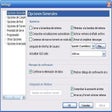
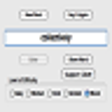
- Supports default, custom, and text file word sets.
- Four difficulty levels cater to various word lengths.
- Settings and word sets are saved between sessions.
- Clear audio feedback for correct and incorrect answers.
Cons
- No scorekeeping feature is available.
- Text file word sets require a .txt suffix.
Used Speak N Spell for Windows?
Explore More

Arabic Typing Tutor
Trial version
Rosetta Course English (American)
Paid
Merriam-Webster Unabridged Dictionary
Trial versionRosetta Course Japanese
Paid
Varamozhi: Transliteration Based Malayalam Text Editor
Free
Adept Translator Pro
Trial version
Dictionary .NET
FreeRosetta Course Polish
Paid
English To Russian and Russian To English Converter Software
Trial version
Bangla eLearning Companion
Trial version
Lingua Translator
PaidRosetta Course Italian
Paid