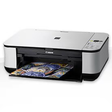
Used Canon Pixma MP250 for Windows?
Editors’ Review
The Canon PIXMA MP250 driver suite enables communication between the multifunction printer and desktop systems. Its core component, the MP Driver, handles both printing and scanning processes by translating computer commands into printer actions. The package typically includes Canon’s proprietary utility tools that monitor ink usage, manage maintenance tasks, and facilitate device status checks.
Top Recommended Alternative
Through the bundled applications of Canon PIXMA MP250, you can also perform diagnostic tests, access detailed printer information, and adjust operational parameters. This driver package remains the essential bridge that supports the PIXMA MP250’s core functionalities on desktop environments, including printing, scanning, and maintenance control.
Canon PIXMA MP250 primarily revolves around the MP Driver, which integrates print and scan communication into a single installation. It configures printer detection, manages device queues, and applies color handling according to Canon’s specifications. Scanning is handled via the same package, providing basic scanning controls through either the Canon interface or supported imaging software. However, the scanner module can encounter initialization issues. This structure allows coordinated device management under one framework.
PIXMA integration
The utility software component expands control options by introducing Canon’s interface applications. These programs allow direct interaction with the printer for ink monitoring, head alignment, and status verification. Within the utilities, you can launch diagnostic routines, perform nozzle checks, and manage calibration settings. These tools are installed alongside the main driver, ensuring that operational feedback and adjustment options are consistently available within the system.
The software integration layer connects the driver suite with desktop’s native printing and scanning services. This integration allows the printer to appear within the system’s control panel and standard printing dialogues. The connection enables communication with supported applications that access TWAIN or WIA protocols for scanning. Through this structured linkage, print and scan functions can be initiated from multiple software environments, maintaining coordination between Canon’s software and system-level components.
Pros
- Unified MP Driver for printing and scanning
- Includes Canon’s diagnostic and maintenance utilities
- Integrates with desktop print and scan interfaces
- Supports core printer communication protocols
Cons
- Scanner module can encounter initialization issues
Bottom Line
Unifying print, scan, and maintenance
The Canon PIXMA MP250 driver package provides a unified platform for enabling print and scan communication through the MP Driver, Canon utilities, and system integration modules. It supports all essential device controls, ink management, and maintenance tasks. Its limitation lies in the scanner subsystem, which can occasionally fail to initialize under newer driver models. It’s a software layer required for the printer’s essential operations and device management functions.
What’s new in version 1.04
- Updated interface libraries for improved printer recognition
Used Canon Pixma MP250 for Windows?
Explore More

HP DeskJet Ink Advantage 2135 All-in-One Printer drivers
Free
MP Navigator EX for Windows
Free
HP Officejet 4500 All-in-One Printer drivers
Free
HP All In One Printers Driver Update
Free
HP LaserJet P3005 Printer drivers
Free
HP LaserJet Pro CP1025nw Color Printer drivers
Free
HP Color LaserJet CP1215 Printer drivers
Free
Bushnell ImageView
Free
HP Officejet 4500 All-in-One Printer Series - G510 drivers
Free
HP OfficeJet 4650 Printer Driver
Free
HP Photosmart 5520 Printer Driver
Free
HP Photosmart C3180 All-in-One Printer drivers
Free