Used 3D Space Plasma Screensaver for Windows?
3D Space Plasma Screensaver Analysis
AI Assisted Content ·
Not written by CNET Staff.
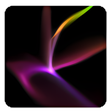
3D Space Plasma Screensaver is a visually engaging application designed for Windows users seeking to enhance their desktop experience. This screensaver features mesmerizing animations of plasma and cosmic phenomena, providing an immersive backdrop that transforms any idle screen into a dynamic visual display. Users can expect a variety of stunning effects that simulate the beauty of space, making it an appealing choice for astronomy enthusiasts and anyone looking to add a touch of creativity to their workspace.
Top Recommended Alternative
The screensaver is easy to install and configure, allowing users to customize settings such as animation speed and display options. The trial version offers a glimpse into its capabilities, showcasing vibrant colors and intricate designs that respond to user activity. With its focus on aesthetics and user-friendly interface, the 3D Space Plasma Screensaver stands out as a captivating choice for enhancing the visual appeal of Windows desktops.
Used 3D Space Plasma Screensaver for Windows?
Explore More

SereneScreen Marine Aquarium
Trial version
Molecular Black Screensaver
Free
Edvard Munch ScreenSaver
Free
Christmas Clock ScreenSaver
Trial versionChristmas Pictures Screensaver
Trial version3D Arctic Bear Advanced
PaidAwesome Tropical Reefs Screen Saver
FreeDrunken Clock Screensaver
Trial version
Easy Screen Saver Workshop
Trial versionPatriotic Reminiscin' Slide Show
Trial versionBirds Screensaver
Trial versionUndersea Life Screensaver
Trial version