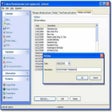
Despite a few interface quirks and feature omissions, this program creates customized calendars in a matter of minutes. The main window displays three tabs for importing photos, designing your calendar, and accessing the program's options. However, after selecting shots, it's not immediately clear you must highlight them to get them to appear in the second tab. Also, the pictures show up in your calendar in the order you import them; you can rearrange them, but we wished you could just select separate shots for particular months. You can add captions to your shots, set calendar margins, and apply a few basic effects, but 1-More PhotoCalendar only gives you one template on which to design your creation. You also can't make other customization tweaks like changing fonts or tweaking background colors. This program best fits novice users who just want to make simple calendars for private use.
1-More PhotoCalendar is the best I have found so far. It is easy and simple to create a nice calendar with your favorite photo, or a different photo for each month. Nice for you or nice for a gift. It is free for black and white photos or $19.00 for color. Try it out! I recommend it and give 1-More PhotoCalendar 5 stars and two thumbs up!
Cons
Summary
Easy to use, perfect results.
Pros
Cons
Summary
I enjoyed using this software; and my Mom enjoyed the present made with it! :-)