ie8 fix

WakeMeUp

CNET Editors' review

by: CNET Staff on February 27, 2009

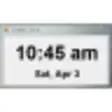
Clock programs are like suckers: a new one's born every minute. Even so, WakeMeUp caught our eye with its impressive array of options. It lets you make a list of one-time and recurring alarms. It can play back a favorite song or tune in to your favorite Internet radio station. It even supports the S3 standby mode, which puts the computer quietly to sleep. The good-looking interface takes no time to master. On a techie note, since the program works as a Windows service, you can remove it from the system tray without shutting it down. It's difficult to discover anything truly groundbreaking in the alarm-clock genre, but WakeMeUp's attractive interface and balanced feature set make it well worth the download.
 
Watch your favorite videos on your favorite devices.

Publisher's Description

From Highspheres:

WakeMeUp is an advanced alarm clock that can resume your PC from any Stand By mode (S1 or S3) at specified date/time. It can give alarms without being started or if there're no users logged on. It handles unlimited number of alarms from multiple users of PC and allows flexible alarm configuration with 9 periodicity modes, from "one time" to "every year". Mp3, wma, ogg, cda (CD track), wav or m3u playlists can be set as an alarm notification.


What's new in this version: Version 1.8.5.34 may include unspecified updates, enhancements, or bug fixes.

More Popular Alarms & Clock Software downloads

  1. TimeLeft

    15,325 downloads

  2. Alarm Clock

    6,595 downloads

  3. Free Alarm Clock

    6,087 downloads

  4. Free Desktop Clock

    3,390 downloads

  5. Free Countdown Timer

    2,362 downloads

 
Professional and free accounting application for Windows!
All User Reviews

Results 1-3 of 3

  • 4.0 stars

    "Does what it is supposed to"

    November 11, 2009  |   By Sirandar

    Version: WakeMeUp 1.8.4

    Pros

    Everything time related is covered and works from sleep modes

    Cons

    Absent technical support. Alarms will not work unless DEP is turned off for most of the Wakemeup executables.... which is a little scary

    Summary

    When set up properly is works as it is supposed to.

    Reply to this review

    Was this review helpful? (0) (0)

  • 5.0 stars

    "Love this software"

    January 26, 2009  |   By heh1987

    Version: WakeMeUp 1.8.4

    Pros

    great interface & multiple skins
    Wake up to a playlist or a customizable chime
    Still works when computer is in sleep mode or the program is closed
    Customizable snooze options
    You can set tons of alarms and there are a multitude of helpful options

    Cons

    The only thing I don't like about this is the fact that it's not freeware, but for such a comprehensive program that I will use everyday 20$ really isn't a lot to ask.

    Reply to this review

    Was this review helpful? (0) (0)

  • 5.0 stars

    "Extremely Useful And Full Of Options Making Your Life Easier"

    April 19, 2007  |   By zlowdive

    Version: WakeMeUp 1.8.4

    Pros

    -Many alarms

    -Weekend/Monthly/Daily/Weekly Alarms

    -Playlist Sounds

    -Fade in

    -Extremely Simple To Use

    Cons

    -some bugs, but fortunate few and not so disturbing

    -kinda complex volume control

    Reply to this review

    Was this review helpful? (0) (0)

Add Your Review

or Log in or create an account to post a review.
You are logged in as . Please submit your review for WakeMeUp 1.8.5.34
Add Your Review

The posting of advertisements, profanity, or personal attacks is prohibited.
Click here to review our site terms of use.

Submit your reply

Submit

The posting of advertisements, profanity, or personal attacks is prohibited.
Click here to review our site terms of use.

cancel

E-mail this review

Submit cancel

Report offensive content

If you believe this comment is offensive or violates the CNET's Site Terms of Use, you can report it below (this will not automatically remove the comment). Once reported, our staff will be notified and the comment will be reviewed.

Select type of offense:

Offensive: Sexually explicit or offensive language
Spam: Advertisements or commercial links
Disruptive posting: Flaming or offending other users
Illegal activities: Promote cracked software, or other illegal content
Submit cancel

See more CNET content tagged:

Previous Versions:

ie8 fix

Error

close

ERROR MESSAGE

If you think this is an error, please contact CNET TechTracker Support for further assistance.

Ok

Running Request

close

loading

Smart Install Software

close

CNET TechTracker will now automatically install software without requiring further action by you. (Note: This feature automatically accepts associated EULAs and third party applications on your behalf.)

You have selected the following software to Smart Install:

CNET TechTracker will attempt to install this software without interrupting you again. If an application requires manual installation, CNET TechTracker will download the installer and prompt you to take further action.

Proceed with Smart Install?

Confirm Standard Install Cancel

Submit a problem report for WakeMeUp

close

Please describe the problem you have with this software. This information will be sent to our editors for review.

Problem:

The CNET Installer isn't working as expected

The download link does not work

The software has a newer version

The software contains malware

Other

Description:

Please select a feedback type.

Please enter a description.

Submit Problem Report

Problem Report submitted

close

Thank you for submitting a problem report! The Download team is committed to providing you with accurate software information.

OK

Installed

Smart Install

About CNET Installer

The CNET Download.com Installer is a tiny ad-supported stub installer or "download manager" that helps securely deliver your downloads from Download.com's servers. We also include offers for carefully screened software that complies with Download.com Software Policies as part of our Installer process. Learn more

WakeMeUp
  • Recently Viewed Products
  • My Lists
  • My Software Updates
  • Promo
  • Log In | Join CNET