CNET Editors' review
Speaking Clock Deluxe is a customizable clock that can alert users to the time in a variety of ways. The clock's various features and simple interface make it an appealing choice.
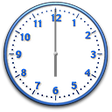
The program's interface is fairly intuitive, although some features that seemed like they would be accessible in the Settings menu could actually only be accessed by right-clicking on the program in the system tray. No matter; that's about as complicated as the program got. Although there were some aspects of the text-to-speech features that weren't intuitive, the built-in Help file explained everything clearly. The interface organizes all of the feature's options into easy-to-navigate tabs, making it simple to configure the clock to your liking. The program offers what you would expect of a speaking clock; analog and digital settings, several skins, alarms, a timer/stopwatch, and customizable intervals for speaking the time. The clock also includes a few unexpected extras, such as a calendar and speaking calculator. The alarm feature includes a lot of options, such as variety of alert sounds and the ability to use an agent--an animated cartoon character--to deliver alerts. We also liked the fact that users can choose between natural speech or text-to-speech, and that the Help file explained the differences between the two.
Overall, Speaking Clock Deluxe performed well and included everything we'd want from a speaking clock. The program has a 30-day trial limitation. It comes as a ZIP file and leaves a folder behind upon removal. We recommend this program to all users.
Publisher's Description
From Lux Aeterna Software:
Speaking Clock Deluxe turns your computer into a speaking clock with over 30 languages freely available for download (English, German, French, Spanish and Russian are included). It can also keep track of up to 50 alarms that can be set to a time and a date and repeat daily, weekly, monthly, or yearly. The interface is very attractive and you can choose between several 'looks', two digital and two analog. The LCD-style display shows date, another time zone or random quotes in addition to the time. This program can also synchronize your clock to an Internet time server. It can be minimized to the system tray and includes full help and install/uninstall. Developer Changes: Speaking alarm clock which can announce the time in many different languages (American English is included, about 30 other languages can be freely downloaded). Also features MS Agent and text-to-speech support. The multiple alarm system keeps track of up to 50 different alarms, with the possibility of announcing the time, playing any wave file or even starting another program. The alarms can be set to go off once or be repeated daily, weekly, monthly or yearly. In addition it also features a speaking calculator, a timer/stopwatch function, time synchronization with proxy support, choice of digital or analog displays and a very attractive all-graphical interface design. The clock runs in the system tray (where it also shows the time).
Version 3.62 adds MP3/WMA support for alarms and fixes several bugs.
More Popular Alarms & Clock Software downloads
- TimeLeft
17,007 downloads
- Free Alarm Clock
7,784 downloads
- Alarm Clock
7,267 downloads
- Free Desktop Clock
3,933 downloads
- Cool Timer
3,495 downloads
-
All versions:
4.3 starsout of 6 votes
-
Current version:
4.3 starsout of 6 votes
-
My rating:
Write review
Results 1-6 of 6
-
"Very useful application"
Version: Speaking Clock Deluxe 3.62
Pros
Very useful application
Cons
Wished more alarm provisions
Summary
Good
Very good product,I would like to make a small contribution to the site
Updated on May 18, 2011 -
"I give it the five star"
Version: Speaking Clock Deluxe 3.62
Pros
I like every thing abouit it.
Cons
Well the changing from digial to a reg. clock does not work.
Summary
I like this prouduct because It work very good. it let me know the time out loud.
-
"Helps keeping a close watch on time without looking"
Version: Speaking Clock Deluxe 3.62
Pros
The chimes of Big Ben before saying the time
Cons
There is nothing I dislike
Summary
I like it because it keeps me aware of the time without me having to look at my watch.all the time.
-
"AWESOME , AWESOME, AWESOME"
Version: Speaking Clock Deluxe 3.62
Pros
I LIKE THE ANNOUNCE TIME, I CAN HEAR IT AT NIGHT IF I HAPPEN TO WAKE UP.
Cons
I LOST REGISTRATION CODE AND ASKED FOR YOU TO RESEND IT TO ME AND STILL HAVE NOT RECEIVED IT
Summary
I LOVE IT, I HAVE HAD IT FIR YEARS AND WILL CONTINUE TO USE IT EVERY DAY
-
"Still the best..!"
Version: Speaking Clock Deluxe 3.62
Pros
I like almost everything about this appliance, even the upgraded price which is very reasonable for a clock that's filled with extras.
Cons
Only that it can't play multiple songs in sequence.
Summary
Of all the clocks that I've tried in the past, the deluxe 3.62 (like it's predessors) has given me the least amount of problems. It performs as stated and contains no spy ware or virus. If you use your imagination you can get this little jewel to do almost anything you choose. For instance, along with the alarm (which you can program an alert message of your choice), in the announce mode you can also install a wave file of any sound (I used a voice message that I copied from an old movie) and with both created what sounded like an hourly conversation. It's amazing what you can do with the speaking clock and you'll have hours of fun just trying different tasks in different languages.
-
"It's okay. Better than other apps I've used"
Version: Speaking Clock Deluxe 3.62
Pros
You get what you download
Cons
This is not totally free...it lures you in with all features then after download and install you find that you only have the normal regular features of other apps.
Summary
The downloaded clock is average. Not able to simply have the full product without purchase is a downer. The permitted allowed features are no better than the full free clocks out there. Windows Media Center Edition Powertoy clock is still tops over any I've ever used.
Add Your Review
Submit your reply
E-mail this review
Report offensive content
See more CNET content tagged:
Previous Versions: