Used O'Clock for Mac?


O'Clock Analysis

AI Assisted Content ·

Not written by CNET Staff.

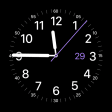
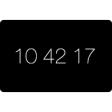
O'Clock is a free screensaver application designed for Mac users, providing a unique way to display time while enhancing desktop aesthetics. It features various customizable clock designs and allows users to choose from different styles, colors, and layouts, making it easy to personalize the screensaver to fit individual preferences. With its user-friendly interface, O'Clock enables users to quickly set up and modify their screensaver settings without any technical expertise.

Top Recommended Alternative

In addition to its visual appeal, O'Clock is designed to be lightweight and efficient, ensuring it does not consume excessive system resources. The application integrates seamlessly with macOS, offering a smooth experience as it runs in the background. O'Clock is an ideal choice for users seeking a functional yet visually pleasing screensaver option that can enhance their Mac experience.



Used O'Clock for Mac?


Explore More


Full Specifications

GENERAL
Release
Latest update
Version
1.2
OPERATING SYSTEMS
Platform
Mac
Operating System
  • Mac OS X 10.5
  • Mac OS X
  • Mac OS X 10.4
  • Mac OS X 10.6
Additional Requirements
None
POPULARITY
Total Downloads
788
Downloads Last Week
0

Report Software

Program available in other languages


Last Updated


Developer’s Description

Screen saver showing the time in a unique way using a single arc.
A friend of mine, called Tiggr, originally wrote this rather nice clock for his NeXT machine. So he deserves all the creative credit. This clock is an arc ranging from the hour-hand to the minute-hand. It is therefore always possible to "see the time" on this clock. If the shape is, say a capital C, the time would be something like 17:05.I didn't look into Tiggr's source, but considering the differences (or lack thereof) between OpenStep and Mac OS X it is probably much like mine.My home page, and Tiggr's home page (both can be accessed from this Screen Saver's configuration screen) have links to other implementations of this clock, including a version for javascript, NeXT, Windows, Classic Mac OS (Stand Alone, and for After Dark) and even a hardware implementation.To use this module double-click it to install. If you want to install it manually simply put it in your user directory, in "~/Library/Screen Savers" or system-wide in "/Library/Screen Savers".Then use the System Preferences... panel to select this Screen Saver.

Download.com
Your review for O'Clock
Download.com

AI Assisted Content Disclosure

Content created and reviewed by Softonic with information obtained from pooh corner, using AI.

CNET's editorial team was not involved in the creation of this content. Opinions, analysis and reviews were not provided by CNET.