Publisher's Description
From Tension Software:
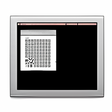
Mac Shutdown X is an amazing small utility designed to shutdown the Mac after a big file download or at the time the user specifies or on other events. It can help a user start a download of big files over the net and have the Mac automatically turned off when the download is finished in the night. It is customizable using a easy to use setting setup panel (no coding or editing of script required). It's small, fast, simple and reliable.
The user can choose to shutdown the Mac:
- On a scheduled plan
- On a specific date and time
- When a generic file is removed or moved on your Hard Disk
- When a download is finished (dragging and dopping it on Mac Shutdown X):
- using Safari
- using Firefox or Camino or Netscape
- using Speed Download
- At launch time to use it via Apple iCal
- Using Web restart
Mac Shutdown X is the successor on Mac OS X of our old Shutdown Controller for Mac OS Classic but has not a single line of code in common with the old Shutdown Controller. It is native and was entirely rewritten on Mac OS X for Mac OS X using Objective-C and Cocoa. The result is a pleasant, small utility that does its job in a simply and elegant way.
What's new in this version: Version 1.5.3 is a bug fixing release.
More Products to Consider
- Control fans of your intel mac to cool it down, monitor temp.Download
Installed
Smart Install - Turn your Android or iOS device into an extra touch screen moni...Download
Installed
Smart Install - Monitor widget: cpu, memory, bandwidth, drive, fans, temps...Download
Installed
Smart Install - Hover over the Dock for window previews and enables window snap...Download
Installed
Smart Install - Adds AirPrint support to many third-party printers.Download
Installed
Smart Install - Remove unwanted language resources from OS X and installed apps...Download
This download is served from an external site
closeNOTICE: This link will open a connection to a third-party site. CNET cannot ensure the security of software that is hosted on external sites.
Sponsored Products
Installed
Smart Install - Command-line utility to expand RAR archives.Download
Installed
Smart Install - Keyboard-based app launcher and search tool.Download
Installed
Smart Install - Set a different desktop picture for each Space.Download
Installed
Smart Install - Drive the super fast cars to see if you can beat the other ones...Download
Installed
Smart Install - Menu bar extension like the classic Apple menu.Download
Installed
Smart Install - Count down the seconds to any event right on your dashboard.Download
This download is served from an external site
closeNOTICE: This link will open a connection to a third-party site. CNET cannot ensure the security of software that is hosted on external sites.
Sponsored Products
Installed
Smart Install - Restarts your Mac at a specified schedule or time or via web.Download
Installed
Smart Install - Stick images, view live webcams on your desktop.Download
This download is served from an external site
closeNOTICE: This link will open a connection to a third-party site. CNET cannot ensure the security of software that is hosted on external sites.
Sponsored Products
Installed
Smart Install - Measure the distance your mouse covers.Download
This download is served from an external site
closeNOTICE: This link will open a connection to a third-party site. CNET cannot ensure the security of software that is hosted on external sites.
Sponsored Products
Installed
Smart Install - AutoCAD (dwg & dxf) & eDrawings viewer.Download
Installed
Smart Install - Driving games right in your Mac OS X Dashboard.Download
Installed
Smart Install - Makes keyboard play sounds.Download
Installed
Smart Install - Access hidden preferences settings.Visit Site
This download is served from an external site
closeNOTICE: This link will open a connection to a third-party site. CNET cannot ensure the security of software that is hosted on external sites.
Sponsored Products
- Customize the appearance and behavior of your Mac.Download
Installed
Smart Install - Display song title, artist & album as a ticker in the menu bar.Download
Installed
Smart Install - Show and hide hidden and system files in Mac OS X Finder.Download
This download is served from an external site
closeNOTICE: This link will open a connection to a third-party site. CNET cannot ensure the security of software that is hosted on external sites.
Sponsored Products
Installed
Smart Install - Build your own global menu containing your favorite apps, files...Visit Site
This download is served from an external site
closeNOTICE: This link will open a connection to a third-party site. CNET cannot ensure the security of software that is hosted on external sites.
Sponsored Products
- Remove your Mac's startup chime.Download
Installed
Smart Install
Add Your Review
Submit your reply
E-mail this review
Report offensive content
See more CNET content tagged:
Previous Versions: