Used IP Messenger (64-bit) for Windows?
Editors’ Review
IP Messenger delivers a lightweight, straightforward communication platform designed specifically for local area networks. It bypasses complex server configurations entirely, allowing instant peer-to-peer messaging right out of the box with zero fuss. This makes it an exceptionally easy solution for office environments that require fast, reliable local network connectivity.
Top Recommended Alternative

If your team needs an efficient, no-fuss tool to share files and chat without relying heavily on cloud infrastructure, IP Messenger is a communications software that offers a refreshing and practical solution designed to keep internal office communication exceptionally fast, private, and dependable.
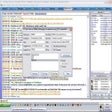
IP Messenger excels at effortless local connectivity by auto-detecting members across routers via Member Master mode. The built-in screen capture tool allows quick annotations before sending, while the send queue ensures messages reach inactive receivers as soon as they log back on. High-speed file transfers and strong RSA2048-bit with AES256-bit encryption keep your internal data sharing both swift and secure during busy workdays.
Robust features
Managing historical conversations is smooth thanks to a powerful log viewer that handles over 100,000 messages with inline images and fast full-text searching. However, advanced options like unlimited Slack message forwarding require upgrading to the Pro version. This restriction can feel a bit limiting for teams hoping to integrate external chat platforms without extra costs, making the base software less flexible for hybrid workflows.
Another minor drawback stems from its utilitarian interface, which lacks the slick, modern visual appeal found in newer team chat tools. While command-line shortcuts and multi-tab viewing add functional efficiency, new users might experience a slight learning curve when navigating specific absence or reply commands. Nevertheless, for pure local network communication, these minor design quirks do not severely diminish its overall day-to-day practical value.
Pros
- Automatic router member detection via Member Master mode
- Built-in screen capture with multi-drawing annotation tools
- Powerful log viewer with fast incremental full-text search
- Strong security with RSA2048-bit and AES256-bit encryption
Cons
- Full Slack forwarding features require the Pro version
- Utilitarian user interface feels slightly dated
- Learning curve for command-based status and messaging tools
Bottom Line
Final thoughts
Overall, IP Messenger stands out as a fast, secure, and lightweight tool for local team messaging. Although the paywall on full Slack forwarding and the traditional interface might not suit everyone, its robust file sharing, encryption, and powerful log viewer make it a top choice. It remains an excellent, dependable pick for workplace environments prioritizing local privacy and raw speed.
What’s new in version 4.99r11
- Automatic updates with seamless background installation
- Enhanced router auto-detection and bug fixes
Used IP Messenger (64-bit) for Windows?