Used XtremeMac Alarm Clock for iOS?


XtremeMac Alarm Clock Analysis

AI Assisted Content ·

Not written by CNET Staff.

XtremeMac Alarm Clock is a free utility application designed for iPhone users, offering a comprehensive set of features tailored for managing alarms and time. This app allows users to set multiple alarms, customize alarm tones, and choose from various snooze options. The interface is user-friendly, making it easy to navigate through different functionalities, such as setting recurring alarms and adjusting volume settings, ensuring a personalized wake-up experience.

Top Recommended Alternative

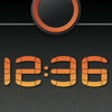
In addition to standard alarm features, XtremeMac Alarm Clock includes a built-in clock display that can be used in both portrait and landscape modes. Users can also take advantage of sleep timer functionality, allowing them to fall asleep to their favorite music or sounds. Overall, this application serves as a versatile tool for those looking to enhance their time management and waking routines.

Enlarged image for XtremeMac Alarm Clock
XtremeMac Alarm Clock 0/1

Used XtremeMac Alarm Clock for iOS?


Explore More


Full Specifications

GENERAL
Release
Latest update
Version
1.29
OPERATING SYSTEMS
Platform
iOS
Operating System
iOS 12.1.2
Additional Requirements
Compatible with: iphone3gs, iphone3gs, iphone4, iphone4, ipodtouchfourthgen, ipodtouchfourthgen, ipad2wifi, ipad2wifi, ipad23g, ipad23g, iphone4s, iphone4s, ipadthirdgen, ipadthirdgen, ipadthirdgen4g, ipadthirdgen4g, iphone5, iphone5, ipodtouchfifthgen, ipodtouchfifthgen, ipadfourthgen, ipadfourthgen, ipadfourthgen4g, ipadfourthgen4g, ipadmini, ipadmini, ipadmini4g, ipadmini4g
POPULARITY
Total Downloads
167
Downloads Last Week
0

Report Software

Last Updated


Developer’s Description

By XtremeMac
IMPORTANT: As will all third party alarm clock apps, the XtremeMac Alarm Clock app must be running and displayed in the foreground for the alarm to...
IMPORTANT: As will all third party alarm clock apps, the XtremeMac Alarm Clock app must be running and displayed in the foreground for the alarm to work.Create personalized sleeping and waking environments with XtremeMacs Alarm Clock App. This app gives you the control to personalize your settings for the ideal wake up experience. It allows you to wake to your iPod and choose specific songs, shuffle through all of your music or choose nature sounds or chimes. It also gives you the ability to set independent volume, days of the week, daily reminders or labels for each alarm. XtremeMacs alarm clock app doesnt stop there it also gives you the ability to set your snooze and sleep timers from 1 minute to 59 minutes and includes easy to use controls to snooze or turn off the alarm while sounding. Our app includes various backgrounds to choose from and includes a display control with a night setting, so you can sleep with the display fully off and wake to a brighter setting automatically. This app gives you the ultimate control to customize your settings.Finally, the XtremeMac app can be used alone or with our Luna SST or 3 in 1 Microdock. These products are available at various retails stores and online at XtremeMac.com.Features:Easy to read display for time, date and alarm settingsAbility to wake to iPod select specific songs or shuffleIncludes night display brightness controlTwo alarms with independent source and volume controlsEasy to use controls to snooze or turn off alarm while soundingChoose between home screen backgrounds to suit individual styleIncludes various wake to sounds including nature sounds and chimesCustomizable nap and sleep timers from 1 minute to 59 minutes

Download.com
Your review for XtremeMac Alarm Clock
Download.com

AI Assisted Content Disclosure

Content created and reviewed by Softonic with information obtained from XtremeMac, using AI.

CNET's editorial team was not involved in the creation of this content. Opinions, analysis and reviews were not provided by CNET.