
Write Source for Windows
- By Alcoda Software
- Trial version
- User Rating
Used Write Source for Windows?
Editors’ Review
Write Source provides users with a word processor for .txt documents that successfully imitates Word. In addition, the program offers an added feature that will help users search for words.
We felt instantly comfortable with this program's interface since it smoothly mimics Microsoft Word all the way down to its layout. The Help file's instructions were necessary to master some of the more complicated features, but basic writing was a snap. Our previous experience with word processors that save as .txt files had been disappointing since they always seemed to fall short of Word with their clumsy layouts and limited options. So we were incredibly happy to find Write Source has cherry picked all the elements that make a good word processor--such as text wrapping, full font control, highlighting, and spell check--that other .txt writers overlook. It was so good we felt like we were operating the much more professional and reliable Word program the entire time. Our favorite feature was a separate clipboard that hides off to the side, featuring a dictionary and thesaurus that can actually stay onscreen during operations outside of Write Source, like surfing the Web.
Write Source has a 15-day trial. We highly recommend this program; it imitates all the best elements of Word, but saves files in the .txt format.
Write Source for Windows
- By Alcoda Software
- Trial version
- User Rating
Used Write Source for Windows?
Explore More

Advanced 2 Pages Per Sheet PDF Merger
Trial version
DigitalOfficePro Free PowerPoint Templates
Free
WordPerfect Password
Trial versionHEBRCPPT
Free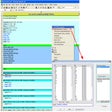
EZplot
Trial version
get2Clouds
FreeCost Benefit Analysis
Trial version
Abex Document Converter Pro
Trial versionOwn Office
FreeProPointer
Trial versionFastChange Toolbar
Trial versionMicronoot
Free











