Used Windows 10 Launcher for Android?


Windows 10 Launcher Analysis

AI Assisted Content ·

Not written by CNET Staff.

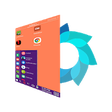
Windows 10 Launcher is a free productivity application designed for Android devices, aiming to replicate the Windows 10 desktop experience. With its user-friendly interface, this launcher allows users to customize their home screens, app icons, and overall layout to resemble the iconic Windows 10 aesthetic. Key features include a customizable taskbar, live tiles for quick access to apps, and a range of themes and wallpapers that enhance personalization.

Additionally, Windows 10 Launcher offers a variety of utility tools, such as a built-in file manager and a search function that simplifies finding apps and files. The launcher supports various widgets, enabling users to display important information at a glance. Its compatibility with Android devices ensures that it can be easily installed and set up, making it a practical choice for those who prefer the Windows interface.

Enlarged image for Windows 10 Launcher
Windows 10 Launcher 0/4

Used Windows 10 Launcher for Android?


Explore More


Full Specifications

GENERAL
Release
Latest update
Version
1.2
OPERATING SYSTEMS
Platform
Android
Additional Requirements
Requires Android 5.0 and up
POPULARITY
Total Downloads
42
Downloads Last Week
1

Report Software

Program available in other languages


Last Updated


Developer’s Description

Internity Labs is proud to present you the simplified Windows 10 Launcher which takes the best of windows and android world, and packages it in...

Internity Labs is proud to present you the simplified Windows 10 Launcher which takes the best of windows and android world, and packages it in the best way possible with the goal to make you more productive.

This launcher is available for android phones, as well as for tablets. When you open it for the first time, it will ask you for the permissions it needs to operate. Once launched, you will see a familiar windows user interface.

When you press the windows start button, you will see the list of currently installed apps. By touching and holding an app, additional menu will show up, which will enable you to move the app to desktop. If you touch and hold an app which is already on the desktop, you can move the app around to your favorite place. It is also possible to move an app to a new desktop through the menu that will pop up when you hold an app on the desktop.

For a very few chosen critical apps, such as phone, messages, camera, you can pin it right at the start panel, which will provide you a quick access to these apps, which we find very useful. Once you are done configuring your pinned apps, this feature can be locked via the personalize menu preventing accidental unpinning of the critical apps.

The search button enables you to search for any app. You could also search the web, or the play store from the same place. Once you find an app that you were looking for, you can locate that app on the desktop using the popup menu.

You can further personalize your view by changing the grid size to provide more space for apps or increase the size of apps on the desktop. You could also change the background color, or switch to a wall paper of your choice.

The system tray also has familiar windows controls for wifi, volume, battery status, date and time.

Unlike some other launchers, we have worked hard to integrate notification support into the launcher by providing app badges. It can be turned on from Notifications control panel under More Options.

Dont forget to rate and leave great comments. If you feel that you need some other feature, please feel free to write us an email. The details are in about page.


Download.com
Your review for Windows 10 Launcher
Download.com

AI Assisted Content Disclosure

Content created and reviewed by Softonic with information obtained from Internity Labs, using AI.

CNET's editorial team was not involved in the creation of this content. Opinions, analysis and reviews were not provided by CNET.