Used Win Launcher 2018 pro - metro look smart for Android?


Win Launcher 2018 pro - metro look smart Analysis

AI Assisted Content ·

Not written by CNET Staff.

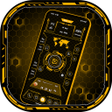
Win Launcher 2018 Pro - Metro Look Smart is an innovative application designed for Android devices, enabling users to customize their device interface with a modern metro aesthetic. This full version app allows for extensive personalization, including a variety of themes, icon packs, and wallpapers that emulate the look and feel of Windows operating systems. Users can easily navigate through their apps and settings with a simplified, user-friendly design that enhances the overall experience.

Top Recommended Alternative

The application also features a range of tools that improve functionality, such as customizable widgets and quick access to essential applications. Additionally, it ensures smooth performance across devices, making it compatible with a wide range of Android versions. With its focus on aesthetics and usability, Win Launcher 2018 Pro - Metro Look Smart appeals to users seeking a fresh, organized look for their mobile devices.

Enlarged image for Win Launcher 2018 pro - m…
Win Launcher 2018 pro - metro look smart 0/4

Used Win Launcher 2018 pro - metro look smart for Android?


Explore More


Full Specifications

GENERAL
Release
Latest update
Version
1.5
OPERATING SYSTEMS
Platform
Android
Additional Requirements
None
POPULARITY
Total Downloads
36
Downloads Last Week
0

Report Software

Program available in other languages


Last Updated


Developer’s Description

No advertisement in this Win Launcher 2018 pro app.

No advertisement in this Win Launcher 2018 pro app

Animation:

Launcher provides you faster and smoother animation for better user interaction.

Drag & Drop Feature:

You can long press on tile to hold then drag and drop tile anywhere on the screen and you can create folder by dropping tile on another tile.

Easier Access Feature:

It provides you very easier way to access all apps by just left swipe where you can get full app information, uninstall app and pin app to home screen.

Pin Apps to Launcher Home Screen:

You can pin various app to launcher home screen by just long press on app in app list.

KEY FEATURES

- Win launcher 2018 provides 20 unique and wonderful themes.

- You can customize tiles by long press on it.

- View all apps installed in mobile by just left swipe

- 160 Color available for customizing tiles color, background color etc.

- Smooth and clean UI

- Easy to create folder by just drag and drop tile on another tile.

- Folder feature - Easy to group your favorite apps within folder.

- Rename folder.

- Remove folder by long press on it.

- Easy to change themes.

- Easy to set background color or wallpaper of your choice.

- Pin apps as tiles to your home screen by just long press on app in app list.

- Change the tile transparency.

- Replace tile app with another app appear on home screen by long press on tile.

- Resize tiles by long press on tile.

- Smoother and faster animations.

- Resize and Reposition tiles by long press and then dragging.

- Uninstall app by just long press on app in app list.

Win Launcher 2018 is highly customizable, fast and easy to use launcher for Android which is styled similar to Windows phone devices. This app provides you various customization features which will change your android phone to a complete look of Windows phone. Say goodbye to the old windows launcher and adopt a brand new win launcher 2018 for better experience.

If you are enjoying our winlauncher 2018 please take a moment to rate our app


Download.com
Your review for Win Launcher 2018 pro - metro look smart
Download.com

AI Assisted Content Disclosure

Content created and reviewed by Softonic with information obtained from lwsoftipl Apps, using AI.

CNET's editorial team was not involved in the creation of this content. Opinions, analysis and reviews were not provided by CNET.