Used Weather Widget: Desktop forecast for Mac?


The Download Now link directs you to the Mac App Store, where you can continue the download process. You must have an active iTunes account to download the application. This download may not be available in some countries.

Weather Widget: Desktop forecast Analysis

AI Assisted Content ·

Not written by CNET Staff.

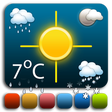
Weather Widget: Desktop Forecast is a free application designed for Mac users seeking real-time weather updates directly on their desktop. This utility offers a streamlined interface that provides essential weather information, including temperature, humidity, and precipitation forecasts. Users can customize the display to suit their preferences, allowing for a personalized weather monitoring experience.

The program integrates seamlessly with the macOS environment, ensuring that users have quick and easy access to weather data without the need to open a web browser. It is capable of displaying forecasts for multiple locations, making it suitable for those who need to track weather conditions in different areas. Overall, this widget serves as a practical tool for anyone needing reliable weather information at a glance.

Enlarged image for Weather Widget: Desktop f…
Weather Widget: Desktop forecast 0/4

Used Weather Widget: Desktop forecast for Mac?


Explore More

Full Specifications

GENERAL
Release
Latest update
Version
1.2.0
OPERATING SYSTEMS
Platform
Mac
Operating System
  • OS X 10.11
  • OS X 10.9
  • OS X 10.8
  • Mac OS X
  • OS X 10.10
Additional Requirements
OS X 10.10 or later, 64-bit processor
POPULARITY
Total Downloads
634
Downloads Last Week
0

Report Software

Program available in other languages


Last Updated


Developer’s Description

Stay up to date with the weather.
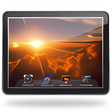
Always stay up to date with the weather with a stylish weather widget on your desktop. A selection of attractive widget designs to choose from. Use the widget to give you an overview of the weather, or for a more in-depth forecast you can open the detailed weather window. The Weather Widget app icon also gives you a brief forecast or overview of current conditions in both the Dock and the menu bar. Weather Forecast. Forecast locations worldwide. Multiple locations support. Imperial or Metric units (F & mph or C & km/h). Start at login optionWidget. Choose from a selection of widget design options. Move your widget anywhere on your desktop with the Click & Drag feature in the app preferences. Option to resize your widget. Option to change opacity of your widget (make it see-through). Hot corner functionality: set a hot corner to instantly reveal desktop & widget by moving mouse to that corner. "Show Desktop" functionality: moves all windows away to show desktop & widget after a set period of inactivity. Menu bar Weather. Menu bar can be set to show current temperature, forecast or wind. One click on menu bar shows brief drop-down forecast. Easy access to app menu to open detailed weather window and app settings Detailed Weather. Click the dock icon once to bring up the detailed weather window.

Download.com
Your review for Weather Widget: Desktop forecast
Download.com

AI Assisted Content Disclosure

Content created and reviewed by Softonic with information obtained from Voros Innovation, using AI.

CNET's editorial team was not involved in the creation of this content. Opinions, analysis and reviews were not provided by CNET.