Used Wearable Cape Banners Mods for MCPE for Android?


Wearable Cape Banners Mods for MCPE Analysis

AI Assisted Content ·

Not written by CNET Staff.

Wearable Cape Banners Mods for MCPE is an entertainment application designed for Minecraft Pocket Edition enthusiasts. This free Android app enhances gameplay by allowing players to equip and display various capes and banners, adding a personalized touch to their in-game avatars. The app features a user-friendly interface, enabling easy navigation and selection of different cape designs, which can be seamlessly integrated into the player's Minecraft experience.

Top Recommended Alternative

In addition to capes, the application provides a variety of banner designs that players can use to customize their builds and showcase their creativity. The mod is compatible with the latest versions of Minecraft Pocket Edition, ensuring that users can enjoy these enhancements without any compatibility issues. Overall, the Wearable Cape Banners Mods for MCPE serves as a valuable tool for players looking to enhance their Minecraft experience with unique visual elements.

Enlarged image for Wearable Cape Banners Mod…
Wearable Cape Banners Mods for MCPE 0/3

Used Wearable Cape Banners Mods for MCPE for Android?


Explore More


Full Specifications

GENERAL
Release
Latest update
Version
1.0
OPERATING SYSTEMS
Platform
Android
Additional Requirements
Requires Android 4.1 and up
POPULARITY
Total Downloads
26
Downloads Last Week
2

Report Software

Program available in other languages


Last Updated


Developer’s Description

DISCLAIMER: This is an unofficial application for Minecraft Pocket Edition.

DISCLAIMER: This is an unofficial application for Minecraft Pocket Edition. This application is not affiliated in any way with Mojang AB. The Minecraft Name, the Minecraft Brand and the Minecraft Assets are all property of Mojang AB or their respectful owner. All rights reserved. In accordance with http://account.mojang.com/documents/brand_guidelines

Enjoy the best version for MCPE . We present you new mods, maps, skins and add-ons for mcpe for free. All of them can be found on our developer page.

Want a cape in mcpe bedrock but dont want to edit apks and possibly get in trouble? Use this addon. It adds cape like banners in your world that spawn in random locations in the overworld.

The Wearable Cape Banners Mods implements banners which can be worn like capes. They are essentially new entities which you can craft. As soon as you craft it, place it down and then you can walk up to the Cape Banner to wear it on your back. You can also dye the banner in 41 different colors/patterns! Unfortunately you cant use this addon on servers to show off your fancy cape, but if you have friends, you can play on a multi-player world with this addon installed!

How does it work?

A new item has been added to the game and it functions similarly to a cape, but it looks like a banner! You can craft and place it on the ground. Walk up to a cape banner and it will automatically be positioned on your back. To remove it, sneak/shift.

How to dye:

Touch: Press and hold with dye

Controller: Left Trigger

How To Craft:

Thanks to the 1.12 update, custom crafting recipes are now possible! To craft the cape banner you need 3 string, 1 white banner, and a leather chestplate as shown below:

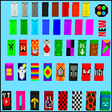
You can dye your banner cape in any of these 35 colors/patterns:

Despawn Stick:

The despawn stick is a craftable item you can use to remove a cape from your world. If you hold or right click the cape will disappear and drop some of its crafting items on the ground.

The following content for mcpe has been added in this application:

Wearable Backpacks Mod

Wearables Capes Mod

MCPE, leave a review and rate this app.

In this application you can download the installation instructions!

MODS and MAPS for MCPE

Good Luck!!!


Download.com
Your review for Wearable Cape Banners Mods for MCPE
Download.com

AI Assisted Content Disclosure

Content created and reviewed by Softonic with information obtained from MAPS and MODS For MCPE, using AI.

CNET's editorial team was not involved in the creation of this content. Opinions, analysis and reviews were not provided by CNET.