Used VoxBox ITC Spirit Box for Android?


VoxBox ITC Spirit Box Analysis

AI Assisted Content ·

Not written by CNET Staff.

VoxBox ITC Spirit Box is a communication application designed for users interested in paranormal investigations. This full-version app allows users to interact with spirits through audio communication. It features a variety of sound banks and audio effects that can be utilized during sessions, enhancing the experience for those exploring the unknown. The app's interface is user-friendly, making it accessible for both beginners and experienced users.

Top Recommended Alternative

In addition to its audio capabilities, VoxBox ITC Spirit Box offers real-time audio manipulation and recording options, allowing users to capture sessions for later analysis. The app supports various audio formats and provides a range of customization options to tailor the experience. Overall, it serves as a tool for individuals seeking to delve into spiritual communication through innovative technology.

Enlarged image for VoxBox ITC Spirit Box
VoxBox ITC Spirit Box 0/4

Used VoxBox ITC Spirit Box for Android?


Explore More


Full Specifications

GENERAL
Release
Latest update
Version
1.0
OPERATING SYSTEMS
Platform
Android
Additional Requirements
None
POPULARITY
Total Downloads
31
Downloads Last Week
0

Report Software

Program available in other languages


Last Updated


Developer’s Description

See Video Of VoxBox In Action Above.

See Video Of VoxBox In Action Above.

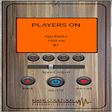
VoxBox is a random sound ITC Research tool which has built in sound banks which users can play the files within the app or record their own files and play those using the apps record feature or use a laptop/pc to chop up your own audio to add.

To record your own banks just hold the record button down for the desired amount of time needed then release record button and recording will stop and automatically and save to bank B.

It's recommended to record files no longer than 2-3 seconds because the app will not play any more than that of each file regardless of how long it is.

The app works by selecting files at random and then playing only a segment of each file at random so if the same file does play 2x in a row it wont sound the same as it will play a different part of the file at random each time the file its played.

When adjusting speed it will play more or less of the files. so for E.G if set at 2000Ms it will play at random each file upto 2000ms at random. so some files may play all 2000 ms so may only play 80 ms etc aswell as picking a random file.

There are 4 sound players which all play files at random when selected.

Bank A has random files.

Bank B is the user recorded files bank. (your own sound recordings) using record button in app or adding files from a laptop/pc.

Just add your own sound files after adding fx using 3rd party software into the apps storage folder in the bank B folder.

Bluetooth Speakers are supported.

To use bluetooth click the hammer and spanner in the top middle of the app.

Want to buy a physical ghost box please check my boxes out on facebook.

https://www.facebook.com/coultousbox/

Please like my paranormal page on facebook for new releases and beta tests.

https://www.facebook.com/markcparanormal

Add me on facebook

https://www.facebook.com/mcoultous

Youtube

https://www.youtube.com/markcparanormal

Credits:

Special thanks to:- AppyDroid and Zara Moncrieff

This app was created with help of the Unity Project. By AppyDroid.

Wood Background, and Logo Design By Zara Moncrieff zara100882@hotmail.co.uk


Download.com
Your review for VoxBox ITC Spirit Box
Download.com

AI Assisted Content Disclosure

Content created and reviewed by Softonic with information obtained from Mark Coultous, using AI.

CNET's editorial team was not involved in the creation of this content. Opinions, analysis and reviews were not provided by CNET.