Used Voice Typing Keyboard - Speech to Text Converter for Android?


Voice Typing Keyboard - Speech to Text Converter Analysis

AI Assisted Content ·

Not written by CNET Staff.

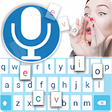
Voice Typing Keyboard - Speech to Text Converter is a free Android application designed to facilitate voice-to-text functionality. This productivity tool addresses the limitations of built-in speech recognition systems on Android devices, particularly for users outside of English-speaking regions. Its user-friendly interface allows for seamless voice input, making it an ideal choice for those who prefer dictation over manual typing. The application is compatible with a wide range of Android devices, including older models, ensuring broad accessibility.

Top Recommended Alternative

The software provides a straightforward approach to converting voice into text, enhancing the messaging experience for users. It aims to improve accuracy and ease of use compared to standard speech recognition features. With its focus on simplicity and efficiency, Voice Typing Keyboard is positioned as a valuable tool for anyone looking to streamline their typing process through voice commands.

Enlarged image for Voice Typing Keyboard - S…
Voice Typing Keyboard - Speech to Text Converter 0/2

Used Voice Typing Keyboard - Speech to Text Converter for Android?


Explore More


Full Specifications

GENERAL
Release
Latest update
Version
1.2
OPERATING SYSTEMS
Platform
Android
Operating System
Android 9.0
POPULARITY
Total Downloads
43
Downloads Last Week
0

Report Software

Program available in other languages


Last Updated


Developer’s Description

English voice typing keyboard makes mobile typing easy, you only have to dictate your text in English and get your text typed automatically.

English voice typing keyboard makes mobile typing easy, you only have to dictate your text in English and get your text typed automatically. This app provides an ease to speak your English words and get those words typed. Now you can focus on your text or thoughts rather than on keyboard. English speech to text converter app allows you convert your voice message into text message rather than typing those words using the keyboard. The app uses Androids built-in Speech Recognizer /microphone to turn speech into text. It is simple and easy voice converter app to use.

English Voice to Text Converter app is the easiest way to type your voice messages through this voice to text converter app. This English Audio to Text converter app helps you to speak text in English and share that converted text with your friends. It is simple voice typing app with user friendly UI. The text will appear after you done speaking. Once you get the regularity, you can use the app and send, share long texts and articles in other social media and many social media messaging application.

The goal of English voice keyboard is to give you an easy and simple way to send text messages with your voice. English Voice Typing Keyboard that makes typing English text faster than ever before. Using Speech to Text online, you can share your text with all the supported messaging application on your phone.

English voice typing keyboard app has simple and easy features:

- Easy voice typing through android microphone

- Automatically recognize your voice

- Single tab copy text option

- Easier and faster than typing

- Best user friendly UI

- Share voice typing converted text

- Speech recognizer does not time out

- Saves a lot of time and effort

The English Audio to text converter app is a voice typing app which will type your English text through voice typing. It is very simple and easy but very useful voice typing app. It saves a lot of time just talk and watch it turn into text just like magic.

Download and install this English speech to text converter app online as it is free. Do not forget to give us your feedback as your suggestions and improvements are always appreciated.


Download.com
Your review for Voice Typing Keyboard - Speech to Text Converter
Download.com

AI Assisted Content Disclosure

Content created and reviewed by Softonic with information obtained from Unique Start, using AI.

CNET's editorial team was not involved in the creation of this content. Opinions, analysis and reviews were not provided by CNET.